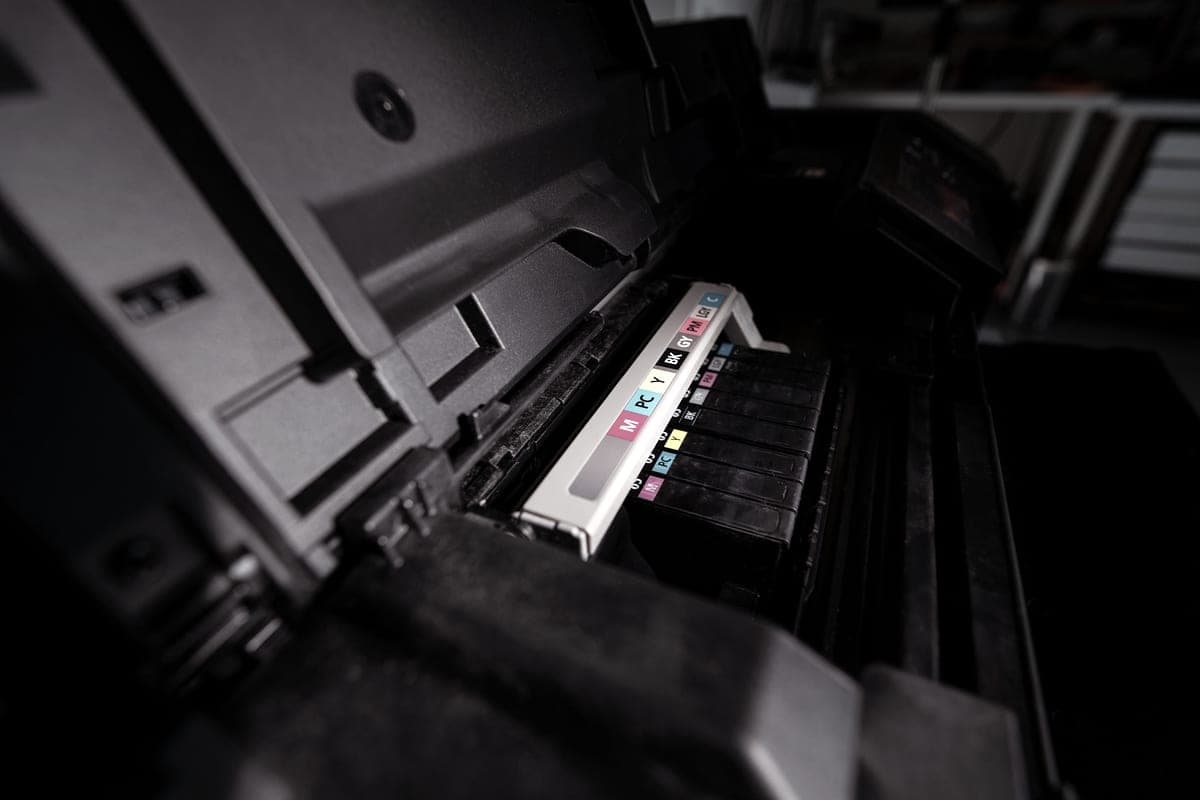
A refillable tank solves the cost of ink, not the physics of it. The head is the same precision inkjet head, and the thing that blocks it is time rather than price.
#ad — buy links are affiliate links and we may earn a commission at no cost to you. How this site is funded. We do not display live prices, so every button sends you to Amazon’s own page for the current one. Cost-per-page figures are arithmetic on supply prices we read on 27 September 2026 — here is the method.
Do ink tank printers clog?
Yes. A tank printer uses the same precision inkjet print head as a cartridge printer — the tank changes where the ink is stored, not how it reaches the paper. Ink left sitting in fine nozzles dries, and the fix is simple: print something every week or two.
This is the question that should decide whether you buy a tank printer at all, and the honest answer is uncomfortable for a site that recommends them. The running cost is genuinely transformative — a fraction of a cent a page against several cents — but it is conditional on using the machine.
Why any inkjet clogs
An inkjet head fires droplets through nozzles measured in tens of microns. Ink at the nozzle face is exposed to air, and the liquid component evaporates: what is left behind is thicker, and eventually solid. A blocked nozzle shows as a missing band in a test print, usually in one color first.
Printers fight this on their own. They cap the head when idle, and they run cleaning cycles that push ink through the nozzles to clear them. Cleaning works, and it costs ink — which on a cartridge printer is painful and on a tank printer is almost free. That is a real advantage of tanks, and it is different from being immune.
Tanks do not prevent clogging. Same head, same physics.
Tanks make recovery cheap. A couple of cleaning cycles on bottled ink costs pennies.
Tanks make prevention cheap. The weekly maintenance page costs a fraction of a cent instead of several cents.
Heads are usually not user-replaceable on printers in this class, so a permanent blockage is a serious outcome. How long printers last.
How often do you need to print?
Neither Epson nor Canon publishes a minimum print frequency on the specification pages we read, so we will not invent one. What the mechanism tells you is that short, regular use is what keeps nozzles clear, and that every color channel needs to fire — a page of black text does nothing for the cyan nozzles.
Print one page that uses all colors every week or two. A nozzle-check page from the printer own utility is ideal, and it is designed for exactly this.
Leave the printer plugged in and powered. Capping and self-maintenance need power; switching it off at the wall between jobs is the single worst habit for an inkjet.
Keep it out of direct sun and away from a heat source, both of which accelerate evaporation at the nozzle face.
Run the printer own head-cleaning routine if a band is missing, then a nozzle check. Repeat at most two or three times, then leave it a few hours before trying again — back-to-back cleans mostly waste ink.
Do not take the head apart or flood it with solvents. If repeated cleaning cycles over a couple of days do not clear it, the machine needs service or replacement.
What maintenance costs on each kind of printer
The cost of a weekly maintenance page over three years
Printer
Supply
Per page
Three years at 4 pages a month
Canon PIXMA MegaTank G3270
Canon GI-21 pigment black ink bottle
~0.3¢
$0
Epson EcoTank ET-2850
Epson 502 black ink bottle
~0.3¢
$0
Epson EcoTank ET-2800
Epson 522 black ink bottle
~0.4¢
$1
Brother HL-L2460DW (laser)
Brother TN830XL high-yield toner cartridge
~3.3¢
No maintenance printing needed
Our arithmetic on genuine supply prices and manufacturer-rated ISO yields. Head cleaning uses additional ink that no manufacturer quantifies publicly, so these figures cover the printed pages only.
The maintenance page is effectively free on a tank printer, which is the reason the advice is realistic rather than a chore. If keeping a printer alive by printing on it still sounds like work, that is a legitimate reason to choose laser — EcoTank vs laser costs both sides out, and are tank printers worth it answers the broader question.
Specifications and running costs side by side, for the printers discussed on this page.
Cost-per-page figures are our own arithmetic: supply price divided by the manufacturer’s rated page yield, using prices read on 27 September 2026 and yields rated at the ISO 5% coverage standard. They are not measured by us and they are not current prices. Every input, and the working · run the numbers for your own printing
The picks in detail
Best tank printer if you print weekly
Epson EcoTank ET-2850
The auto duplexer is the reason to pay the difference over an ET-2800: it halves your paper bill on anything longer than a page.
Illustrative photograph of this kind of printer. We do not have this model in hand and this is not a photograph of the unit.
#ad — we may earn a commission. How this site is funded. We do not show live prices; Amazon’s page is the price of record.
~0.3¢ per mono page · ~1.2¢ per color page
Based on a Epson 502 black ink bottle rated at 7,500 pages at $24.99, priced on 27 September 2026.
The color figure adds one per-page cost for each of the three color channels, because an ISO color page draws from all of them.
Epson 502 black ink bottle — rated 7,500 pages (ISO/IEC 24712), $24.99 at Epson US, checked 27 September 2026
Epson 502 color ink bottle — rated 6,000 pages (ISO/IEC 24712), $16.99 at Epson US, checked 27 September 2026
Yields are manufacturer-rated at the ISO 5% page-coverage standard, not measured by us, and real-world cost runs higher. Prices are not live: this is arithmetic on a price we read on the date shown, not a current price. How we calculate cost per page.
Automatic two-sided printing, which the ET-2800 and ET-2400 lack
Uses 502 ink, whose black bottle is rated higher than the 522 black
Lowest cost per mono page of the EcoTanks we cover
What you give up
Noticeably dearer than the ET-2800 at list price
Still no document feeder
502 color bottles are rated lower than 522 color, so heavy color use narrows the gap
The defence against clogging is printing, and the cheaper a page is the easier that is. The 502 black bottle is rated at 7,500 pages for $24.99 — about 0.3 of a cent a mono page and 1.2 cents an ISO color page.
$349.99 at list with automatic two-sided printing and a flatbed scanner. Print one color page a week on this and the running cost of keeping the head healthy is a rounding error.
#ad — we may earn a commission. How this site is funded. We do not show live prices; Amazon’s page is the price of record.
~0.3¢ per mono page · ~0.8¢ per color page
Based on a Canon GI-21 pigment black ink bottle rated at 6,000 pages at $17.99, priced on 27 September 2026.
The color figure adds one per-page cost for each of the three color channels, because an ISO color page draws from all of them.
Canon GI-21 pigment black ink bottle — rated 6,000 pages (ISO/IEC 24712 (Canon default print mode)), $17.99 at Target, checked 27 September 2026
Canon GI-21 color ink bottle — rated 7,700 pages (ISO/IEC 24712 (Canon default print mode)), $12.99 at Target, checked 27 September 2026
Yields are manufacturer-rated at the ISO 5% page-coverage standard, not measured by us, and real-world cost runs higher. Prices are not live: this is arithmetic on a price we read on the date shown, not a current price. How we calculate cost per page.
List price
$248.99 at Office Depot, checked 27 September 2026
Supply type
Refillable ink bottles
Two-sided printing
Not stated on the spec page we read
Document feeder
None
Connectivity
Wireless
Subscription
None required
What we like
Lowest cost per page of any model on this site, mono and color
Pigment black ink smudges less on plain paper
Large 170 mL bottles, so refills are infrequent
What you give up
Canon's own store would not show us a price, so ours is a retailer listing
No document feeder
Canon's headline yields assume its default print mode, not draft mode
The same argument taken further: the cheapest ink we have priced, at roughly 0.3 of a cent a mono page and about 0.8 cents an ISO color page, from bottles rated at 6,000 and 7,700 pages.
$248.99 on the listing we read, with a pigment black and a flatbed scanner. Canon did not publish an auto duplex specification on the page we read.
#ad — we may earn a commission. How this site is funded. We do not show live prices; Amazon’s page is the price of record.
~3.3¢ per mono page
Based on a Brother TN830XL high-yield toner cartridge rated at 3,000 pages at $98.29, priced on 27 September 2026.
Brother TN830XL high-yield toner cartridge — rated 3,000 pages (ISO/IEC 19752), $98.29 at Brother USA, checked 27 September 2026
Yields are manufacturer-rated at the ISO 5% page-coverage standard, not measured by us, and real-world cost runs higher. Prices are not live: this is arithmetic on a price we read on the date shown, not a current price. How we calculate cost per page.
Dual-band wireless (2.4 GHz / 5 GHz), Ethernet or USB
Subscription
None required
What we like
Toner does not dry out, so it is ideal if you print in occasional bursts
Automatic two-sided printing at 36 pages per minute
Brother has publicly denied blocking third-party toner with firmware
What you give up
Black only - no color at all
Cost per page is roughly ten times a tank printer's
The 700-page starter cartridge runs out fast; budget for a TN830XL
If your printing really does come in bursts months apart, no amount of maintenance advice beats buying the technology that does not care. Toner is a dry powder; there is no nozzle to block and no cleaning cycle to run.
$179.99, 36 pages a minute, auto duplex, Ethernet and dual-band Wi-Fi, about 3.3 cents a page. Mono only, which is the price of that reliability.
Yes. A tank printer has the same inkjet print head as a cartridge model, and ink left sitting in fine nozzles dries out. The tank changes the cost of ink, not the physics of it.
+−How often should you use an ink tank printer?
Print something that uses every color every week or two. No manufacturer publishes a minimum frequency, but regular short use is what keeps nozzles clear, and on bottled ink it costs a fraction of a cent.
+−How do I unclog an ink tank printer?
Run the printer own head-cleaning routine followed by a nozzle check, repeat at most two or three times, then leave it several hours and try again. Do not dismantle or flood the head.
+−Are ink tank printers more reliable than cartridge printers?
On cost of recovery, clearly: cleaning cycles cost pennies rather than a cartridge. On the likelihood of clogging in the first place, they are the same technology and the same risk.
+−Should I switch my ink tank printer off when not in use?
Use the printer own power button rather than cutting power at the wall. Inkjets cap the head and run their own maintenance on a schedule, and they cannot do either with no power.
+−What printer should I buy if I rarely print?
A mono laser. Toner is a dry powder with no nozzles to block, so a laser left alone for months prints perfectly when you need it, from about $179.99 and 3.3 cents a page.