
Skip to content
Tank & Toner
A sheet of bright color print output on a pale desk

By Use Case

Best printers for business cards

A business card is the hardest small print job there is: thick stock, color to the edge, and a cut that has to be dead straight. Only one of those is the printer's problem.

By Ryder M. · Published November 10, 2026

Quick picks

Our ranked picks for best printers for business cards, with the cost per page beside each one. Tap a row to jump to the full write-up.

Our ranked picks for best printers for business cards, with the cost per page beside each one. Tap a row to jump to the full write-up.
#ProductBest forCost per pagePrice
1
Brother HL-L3220CDW — Amazon product photo
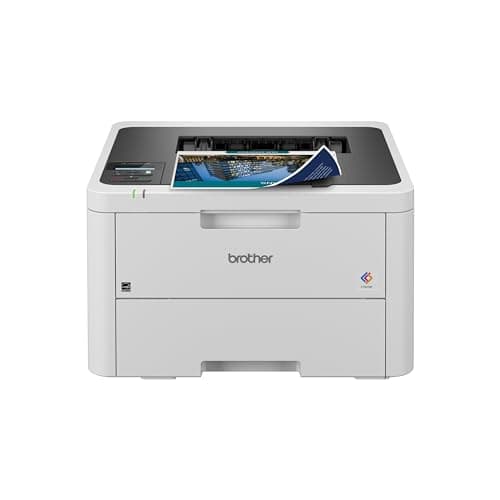
Brother HL-L3220CDWDry toner on card stock, auto duplex, about 3.2¢ a black page
Best printer for business cards~3.2¢
2
Epson EcoTank Photo ET-8550 — Amazon product photo
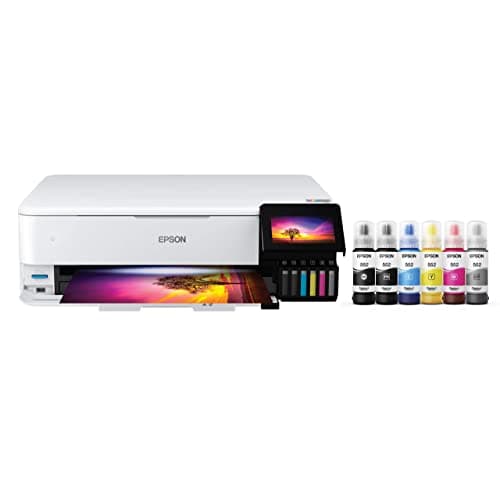
Epson EcoTank Photo ET-8550Borderless to 13 by 19 inches, straight-through path, about 1.4¢ an ISO color page
Best for cards with photographs or a full-bleed design~0.4¢
3
Epson EcoTank ET-2800 — Amazon product photo
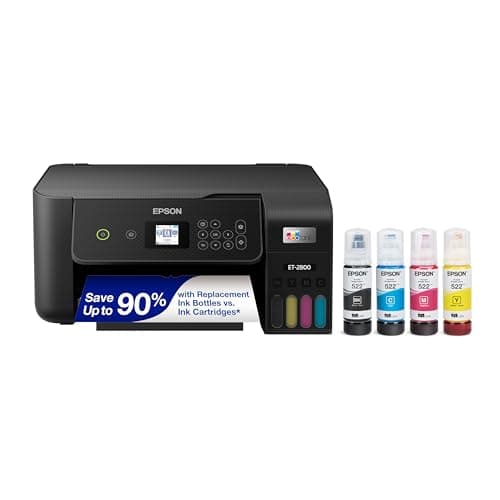
Epson EcoTank ET-2800$239.99 and about 1.1¢ an ISO color page, if you are happy to trim
Budget pick~0.4¢
4
Canon PIXMA MegaTank G3270 — Amazon product photo
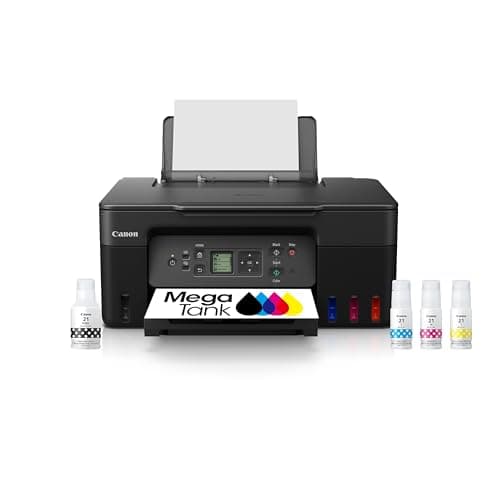
Canon PIXMA MegaTank G3270Pigment black ink and the cheapest color pages here, about 0.8¢
Best for cards that get handled~0.3¢

#ad — buy links are affiliate links and we may earn a commission at no cost to you. How this site is funded. Prices as shown on Amazon as of November 12, 2026; Amazon’s own page is the price of record. Cost-per-page figures are arithmetic on supply prices we read on 27 September 2026 — here is the method.

The printer for business cards is the Brother HL-L3220CDW, for anyone printing and cutting runs of fifty or a hundred: $284.99, dry toner that can be guillotined immediately, and automatic two-sided printing for the reverse. If your card is a photograph or runs color to the edge, the Epson EcoTank Photo ET-8550 is the only machine here that publishes borderless printing. The budget pick is the EcoTank ET-2800 at $239.99, which prints the cheapest color pages on this page if you are willing to trim.

Can you print your own business cards at home?

Yes, and the printer is the easy part. A color laser such as the Brother HL-L3220CDW handles card stock and produces sheets that can be cut immediately, which is why we lead with it. What usually ruins home-printed cards is the cutting, not the printing — a cheap guillotine or rotary trimmer matters more to the result than any specification on this page.

How we picked

Cards are a small, heavy, cut print job, so the usual ranking does not apply. These are the four questions in the order they decide the purchase.

  1. Where does the card stock go? One input tray means unloading plain paper every time, and a tight paper path means heavy stock jams or curls. We only list machines whose maker publishes a second input, a manual slot or a straight-through path.
  2. Is it dry when it lands? A card gets cut, and a blade through wet ink drags. Toner is finished when it reaches the tray, which is the main reason a laser leads an otherwise ink-tank-leaning site.
  3. Can it print to the edge? Borderless is a printer feature, not a paper feature, and only one model in our registry publishes it. On everything else, full bleed means printing oversized and trimming.
  4. What does a run of a hundred cost? Cards are heavy coverage, which is the most expensive thing you can ask a printer to do. Every figure is our arithmetic on dated published supply prices.

The real problem is the cutting, not the printing

Ten cards to a sheet means nine cuts, and nine cuts on a hundred sheets is nine hundred chances to be a millimeter out. This is what separates a home-printed card from a professional one, and no printer solves it. Scissors are hopeless. A craft knife and a steel rule are better. A rotary trimmer or a small guillotine, which costs less than a cartridge, is what actually works, and if your design has a border, a card that is a hair off center shows it instantly.

Two practical consequences for the design. Keep critical content well inside a safe margin, so a small cutting error does not clip a phone number. And if you are running color to the edge, add a bleed of a few millimeters past the trim line and cut into it, which is what a print shop does and the only way to get a clean colored edge without borderless printing.

What a run of a hundred cards costs in ink

Ink or toner for a hundred cards at ten to a sheet, at rated ISO coverage
PrinterPer ISO color pageTen sheets
Canon MegaTank G3270~0.8¢$0.08
Epson EcoTank ET-2800~1.1¢$0.11
Epson EcoTank Photo ET-8550~1.4¢$0.14
Brother HL-L3220CDWSeveral times the aboveStill cents, not dollars

Our arithmetic on dated published supply prices divided by rated ISO yields. An ISO page is a 5% coverage test page and a business card is nothing like that, so treat these as the floor — the ratios are what survive heavier coverage. The method.

The honest conclusion from that table is that ink is not the cost of printing your own business cards. The card stock is, and so is your evening. That is worth knowing before you choose a machine on cost per page.

For a single batch of five hundred standard cards, an online printer will beat you on price, on the cut and on the stock, and it is not an argument we are going to pretend otherwise about. They print on card you cannot buy in a twenty-pack, they cut dead straight at scale, and they can do rounded corners, spot finishes and heavier weights.

Printing them yourself wins in three situations. When you are iterating — a new role, a changed number, three designs you want to hold. When the run is small and frequent, like a market stall needing forty cards this weekend. And when you already own the right printer, in which case cards are a free capability on a machine you were buying anyway. That last case is most readers here, and it is why the budget pick is on this list. Our invitation and greeting card picks make the same argument about weddings.

Specifications and running costs side by side, for the printers discussed on this page.
PrinterSupply typeMono per pageColor per pageAuto duplexFeederPrice
Brother HL-L3220CDWToner~3.2¢not publishedYesNo$284.99 · View on Amazon
Epson EcoTank Photo ET-8550Ink bottles~0.4¢~1.4¢YesNo$604.90 · View on Amazon$749.99 · 19% off
Epson EcoTank ET-2800Ink bottles~0.4¢~1.1¢NoNoCheck price on Amazon
Canon PIXMA MegaTank G3270Ink bottles~0.3¢~0.8¢Not statedNo$199.99 · View on Amazon$248.99 · 20% off

#ad — the price buttons are affiliate links and we may earn a commission at no cost to you. How this site is funded. Prices as shown on Amazon as of November 12, 2026; Amazon’s own page is the price of record.

Cost-per-page figures are our own arithmetic: supply price divided by the manufacturer’s rated page yield, using prices read on 27 September 2026 and yields rated at the ISO 5% coverage standard. They are not measured by us and they are not current prices. Every input, and the working · run the numbers for your own printing

The picks in detail

Best printer for business cards

Brother HL-L3220CDW

A color laser that will not dry out between jobs. Buy it for occasional color that has to be crisp, not for cheap color - a tank printer wins on cost by a wide margin.

Brother HL-L3220CDW — Amazon product photo

Product photograph supplied by Amazon for this listing. We do not have this model in hand and have not photographed it ourselves.

$284.99 · View on Amazon

#ad — we may earn a commission. How this site is funded. Prices as shown on Amazon as of November 12, 2026; Amazon’s own page is the price of record.

~3.2¢ per mono page

Based on a Brother TN229XL black high-yield toner cartridge rated at 3,000 pages at $96.29, priced on 27 September 2026.

  • Brother TN229XL black high-yield toner cartridge — rated 3,000 pages (ISO/IEC 19798), $96.29 at Brother USA, checked 27 September 2026

Yields are manufacturer-rated at the ISO 5% page-coverage standard, not measured by us, and real-world cost runs higher. Prices are not live: this is arithmetic on a price we read on the date shown, not a current price. How we calculate cost per page.

List price
$284.99 at Brother USA, checked 27 September 2026
Supply type
Toner cartridge
Print speed
Up to 19 pages per minute in black and in color
Two-sided printing
Automatic
Document feeder
None
Connectivity
Wireless
Subscription
None required

What we like

  • Color laser output does not dry out during long idle spells
  • Auto duplex printing
  • Four separate cartridges, so one exhausted color does not mean replacing the set

What you give up

  • Color toner is expensive per page next to any ink tank printer
  • Four cartridges to replace instead of one
  • Slower than the mono lasers at 19 pages per minute

Who it is for: anyone printing their own cards in runs of fifty or a hundred and cutting them the same day.

A color laser is the right tool for a business card and it is not close. Toner fuses dry, so a sheet of ten cards can be guillotined the moment it lands — no setting time, no smudged edge where the blade drags through wet ink, no curl on coated stock. Automatic two-sided printing matters too, because a card with a reverse is a duplex job and doing a hundred by hand is an evening.

Brother lists it at $284.99 with 19 pages a minute in black and in color, on the TN229 and TN229XL cartridge family.

Honest cons. Color laser pages are dear — about 3.2 cents for black alone and a color page considerably more, with four cartridges plus a drum. No borderless printing, so a card with color to the edge has to be printed oversized and trimmed. Photographic images will look like a laser printed them. What it costs to run.

Specifications read from the manufacturer’s own product page on 27 September 2026. Full cost-to-run breakdown for the Brother HL-L3220CDW →

Best for cards with photographs or a full-bleed design

Epson EcoTank Photo ET-8550

The only printer here bought for photographs rather than paperwork. It is expensive to buy and remarkably cheap to feed, which is the whole argument for it.

Epson EcoTank Photo ET-8550 — Amazon product photo

Product photograph supplied by Amazon for this listing. We do not have this model in hand and have not photographed it ourselves.

$604.90 · View on Amazon$749.99 · 19% off

#ad — we may earn a commission. How this site is funded. Prices as shown on Amazon as of November 12, 2026; Amazon’s own page is the price of record.

~0.4¢ per mono page · ~1.4¢ per color page

Based on a Epson 552 black ink bottle rated at 6,700 pages at $23.99, priced on 27 September 2026.

The color figure adds one per-page cost for each of the three color channels, because an ISO color page draws from all of them.

  • Epson 552 black ink bottle — rated 6,700 pages (ISO/IEC 24712), $23.99 at Epson US, checked 27 September 2026
  • Epson 552 color ink bottle — rated 6,200 pages (ISO/IEC 24712), $21.99 at Epson US, checked 27 September 2026

Yields are manufacturer-rated at the ISO 5% page-coverage standard, not measured by us, and real-world cost runs higher. Prices are not live: this is arithmetic on a price we read on the date shown, not a current price. How we calculate cost per page.

List price
$749.99 at Epson US, checked 27 September 2026
Supply type
Refillable ink bottles
Two-sided printing
Automatic
Document feeder
None
Connectivity
Wi-Fi, wired Ethernet (10/100) and Hi-Speed USB
Subscription
None required

What we like

  • Six-color ink set with a dedicated photo black and a gray channel
  • Prints borderless up to 13 by 19 inches
  • Bottle-fed, so heavy photo printing does not mean a cartridge bill

What you give up

  • By far the highest sticker price on this site
  • No automatic document feeder, so a stack of pages is one lid-lift each
  • Overkill unless photographs are the main reason you are buying

Who it is for: a photographer, designer or anyone whose card is an image rather than a logo.

Two specifications earn its place. Epson publishes borderless printing up to 13 by 19 inches, which is the only machine in our registry that states it — on a card with a colored background that removes the trim-to-bleed step. And it has a rear feed plus a single-sheet straight-through path for the thickest media, which is what stops heavy card arriving curled.

The six-color 552 set, with a photo black and a gray channel, is what keeps a photographic card from going muddy, at about 1.4 cents an ISO color page.

Honest cons. $749.99, which is far more than the cards. Ink is wet when it lands, so a cut card needs a moment before stacking. Epson rates it at 16.0 ISO ppm black and 12.0 color, so a long run is a sit-down job. The full cost-to-run breakdown.

Specifications read from the manufacturer’s own product page on 27 September 2026. Full cost-to-run breakdown for the Epson EcoTank Photo ET-8550 →

Budget pick

Epson EcoTank ET-2800

The cheapest way to get genuinely low-cost color printing at home, as long as you can live without an auto duplexer or a document feeder.

Epson EcoTank ET-2800 — Amazon product photo

Product photograph supplied by Amazon for this listing. We do not have this model in hand and have not photographed it ourselves.

Check price on Amazon

#ad — we may earn a commission. How this site is funded. Prices as shown on Amazon as of November 12, 2026; Amazon’s own page is the price of record.

~0.4¢ per mono page · ~1.1¢ per color page

Based on a Epson 522 black ink bottle rated at 4,500 pages at $17.99, priced on 27 September 2026.

The color figure adds one per-page cost for each of the three color channels, because an ISO color page draws from all of them.

  • Epson 522 black ink bottle — rated 4,500 pages (ISO/IEC 24712), $17.99 at Epson US, checked 27 September 2026
  • Epson 522 color ink bottle — rated 7,500 pages (ISO/IEC 24712), $17.99 at Epson US, checked 27 September 2026

Yields are manufacturer-rated at the ISO 5% page-coverage standard, not measured by us, and real-world cost runs higher. Prices are not live: this is arithmetic on a price we read on the date shown, not a current price. How we calculate cost per page.

List price
$239.99 at Epson US, checked 27 September 2026
Supply type
Refillable ink bottles
Two-sided printing
Manual only
Document feeder
None
Connectivity
Wireless
Subscription
None required

What we like

  • Among the lowest cost per page of any printer sold for home use
  • Refillable bottles, so no chipped cartridge can be locked out by firmware
  • Comes with enough ink in the box to last most households a long time

What you give up

  • No automatic two-sided printing, so paper costs twice what it needs to
  • Flatbed scanner only - no document feeder for multi-page scans
  • Inkjets still need to be used occasionally or the print head can clog

Who it is for: someone printing a small batch of simple cards and unwilling to buy a machine for the job.

For a card with a white margin, or one you are happy to trim from oversized artwork, this does the job at a quarter of the price of the ET-8550, with the cheapest color pages on this page at about 1.1 cents. It is also the printer we recommend to most households for everything else, which makes the card printing a free capability.

Honest cons. Epson does not publish borderless or automatic two-sided printing on this model, so a full-bleed card means trimming and a double-sided card means feeding each sheet twice. One input tray, so card stock displaces your plain paper. Dye black, so a card that gets handled is better off on a pigment. Full cost-to-run breakdown.

Specifications read from the manufacturer’s own product page on 27 September 2026. Full cost-to-run breakdown for the Epson EcoTank ET-2800 →

Best for cards that get handled

Canon PIXMA MegaTank G3270

The cheapest cost per page of any printer we cover, and the pigment black is the reason to pick it over an EcoTank if your prints get handled.

Canon PIXMA MegaTank G3270 — Amazon product photo

Product photograph supplied by Amazon for this listing. We do not have this model in hand and have not photographed it ourselves.

$199.99 · View on Amazon$248.99 · 20% off

#ad — we may earn a commission. How this site is funded. Prices as shown on Amazon as of November 12, 2026; Amazon’s own page is the price of record.

~0.3¢ per mono page · ~0.8¢ per color page

Based on a Canon GI-21 pigment black ink bottle rated at 6,000 pages at $17.99, priced on 27 September 2026.

The color figure adds one per-page cost for each of the three color channels, because an ISO color page draws from all of them.

  • Canon GI-21 pigment black ink bottle — rated 6,000 pages (ISO/IEC 24712 (Canon default print mode)), $17.99 at Target, checked 27 September 2026
  • Canon GI-21 color ink bottle — rated 7,700 pages (ISO/IEC 24712 (Canon default print mode)), $12.99 at Target, checked 27 September 2026

Yields are manufacturer-rated at the ISO 5% page-coverage standard, not measured by us, and real-world cost runs higher. Prices are not live: this is arithmetic on a price we read on the date shown, not a current price. How we calculate cost per page.

List price
$248.99 at Office Depot, checked 27 September 2026
Supply type
Refillable ink bottles
Two-sided printing
Not stated on the spec page we read
Document feeder
None
Connectivity
Wireless
Subscription
None required

What we like

  • Lowest cost per page of any model on this site, mono and color
  • Pigment black ink smudges less on plain paper
  • Large 170 mL bottles, so refills are infrequent

What you give up

  • Canon's own store would not show us a price, so ours is a retailer listing
  • No document feeder
  • Canon's headline yields assume its default print mode, not draft mode

Who it is for: anyone whose card is mostly text and will live in wallets and pockets.

Canon fills this one with a pigment black rather than a dye black, which is more water-resistant on plain paper and smudges less under a thumb. A business card is the most handled thing you will ever print: passed across tables, stuffed into wallets, pulled out damp. For a text-led card that is a real advantage over the Epsons, at about 0.3 of a cent a mono page and 0.8 cents an ISO color page.

Honest cons. Canon does not publish borderless printing, automatic duplex or a document feeder for this model on the pages we read, and Canon’s own store would not show us a price. One paper input. The G3270 in detail.

Specifications read from the manufacturer’s own product page on 27 September 2026. Full cost-to-run breakdown for the Canon PIXMA MegaTank G3270 →

Questions people actually ask

What is the best printer for business cards?

The Brother HL-L3220CDW at $284.99: a color laser, so sheets come out dry and can be cut immediately, with automatic two-sided printing for the reverse of the card. If your card is photographic or full-bleed, the Epson EcoTank Photo ET-8550 is the only model we cover that publishes borderless printing.

Is a laser or an inkjet better for business cards?

A laser, for most designs. Toner is dry when it lands, so the blade does not drag and cards can be stacked straight away. An inkjet wins when the design is photographic or needs to reach the edge of the card.

What card stock should I use for business cards?

Whatever sits inside the media weight range your printer publishes for the tray you are feeding — and that is usually the manual feed or rear path for heavy stock, not the main cassette. Pre-perforated business card sheets avoid the cutting problem entirely, at some cost in edge quality.

Can I print double-sided business cards at home?

Yes, and automatic two-sided printing makes it practical — the Brother HL-L3220CDW publishes it. Without a duplexer you are feeding every sheet twice in the right orientation, which on a hundred cards is a real job.

Is it cheaper to print business cards or order them?

For one large batch, ordering usually wins on price and finish. Printing at home wins when you are iterating, when runs are small and frequent, or when you already own a printer that handles card — in which case the ink is cents and the stock is the cost.

Sources