Skip to content
Tank & Toner
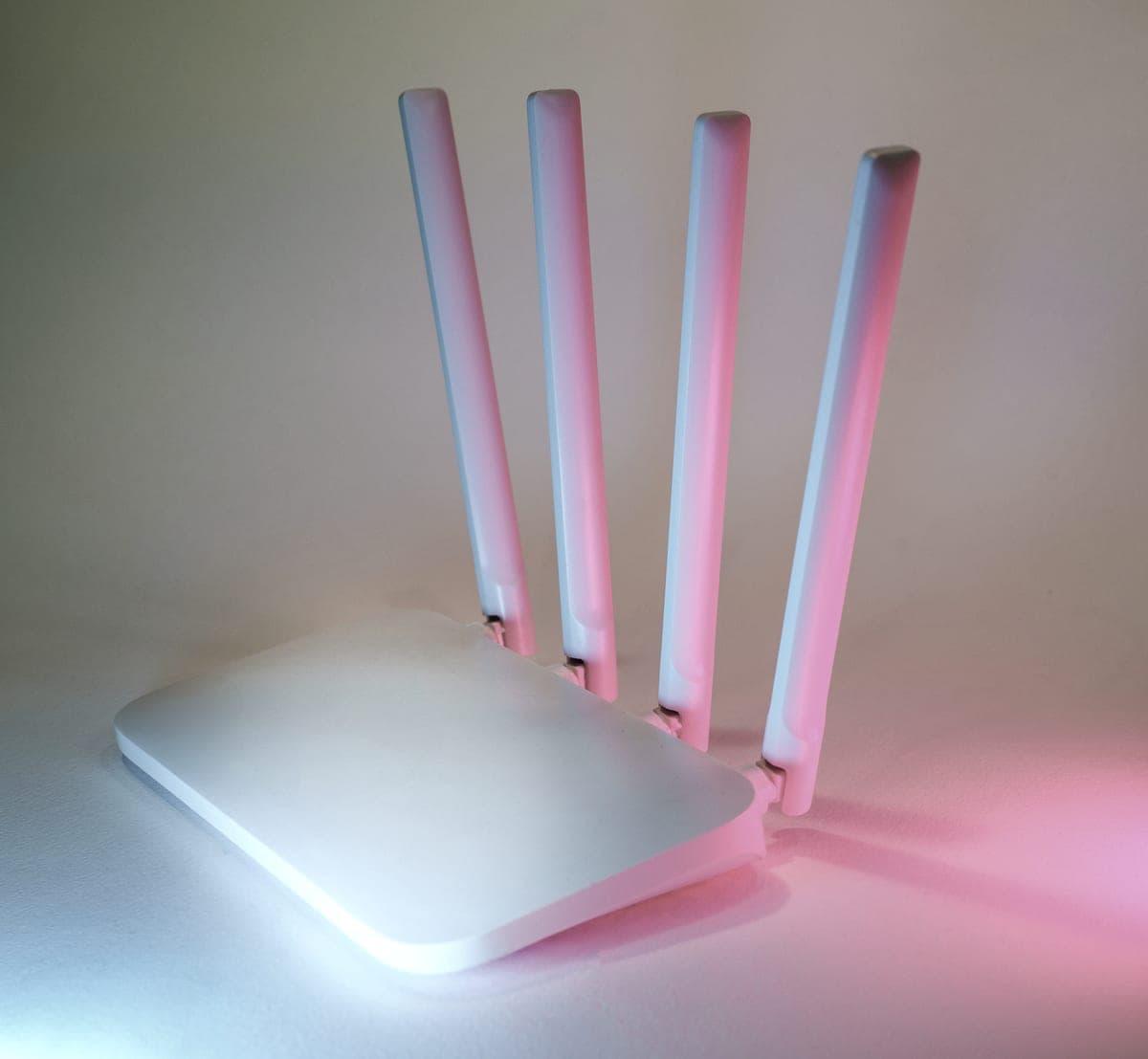
A home wireless router with four antennas on a pale surface

Guides

Does a printer need Wi-Fi?

No printer needs Wi-Fi in order to print. It needs some way for your computer or phone to hand it a file, and there are three of those - two of which involve no network at all.

By Ryder M. · Published October 17, 2026

Quick picks

Our ranked picks for does a printer need wi-fi?, with the cost per page beside each one. Tap a row to jump to the full write-up.

Our ranked picks for does a printer need wi-fi?, with the cost per page beside each one. Tap a row to jump to the full write-up.
#ProductBest forCost per pagePrice
1
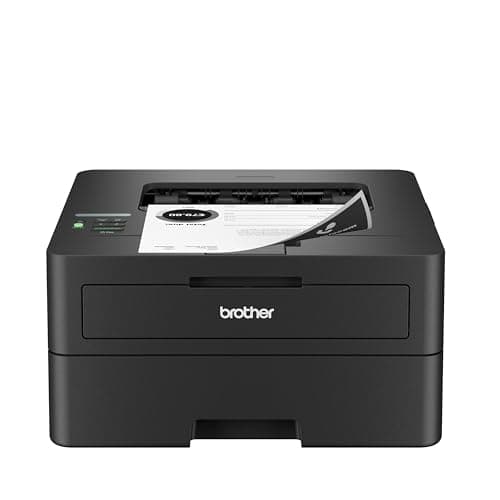
Brother HL-L2460DW — Amazon product photo
Brother HL-L2460DWDual-band wireless, Ethernet and USB, so Wi-Fi is optional
Best printer for printing without Wi-Fi~3.3¢
2
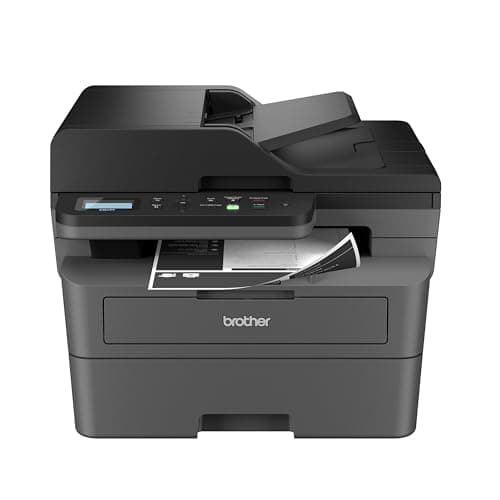
Brother DCP-L2640DW — Amazon product photo
Brother DCP-L2640DWEthernet plus a 50-page feeder, so scanning stays local too
Best all-in-one without Wi-Fi~3.3¢
3
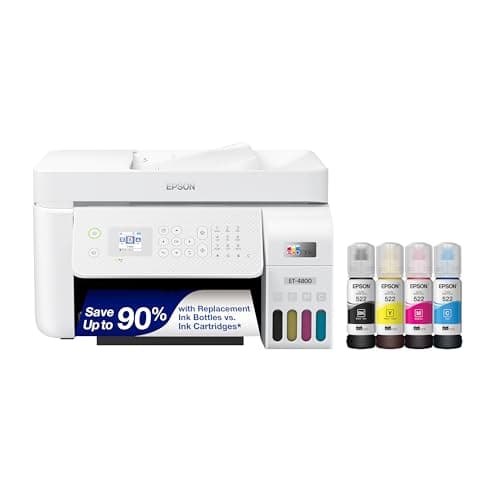
Epson EcoTank ET-4800 — Amazon product photo
Epson EcoTank ET-4800Wireless and Ethernet, refilled from 522 bottles
Best color option with a network port~0.4¢

#ad — buy links are affiliate links and we may earn a commission at no cost to you. How this site is funded. Prices as shown on Amazon as of October 17, 2026; Amazon’s own page is the price of record. Cost-per-page figures are arithmetic on supply prices we read on 27 September 2026 — here is the method.

Does a printer need Wi-Fi?

No. A printer needs a connection, and Wi-Fi is only one of three. A USB cable to one computer, an Ethernet cable to your router, or Wi-Fi Direct straight from a phone will each print with no Wi-Fi network involved. Wi-Fi is a convenience for printing from several devices, not a requirement for printing at all.

Wi-Fi and the internet are two different things

Almost every version of this question is really two questions wearing one coat, so it is worth separating them before buying anything. Wi-Fi is the radio link between your devices and your router, inside your house. The internet is what the router connects to, outside your house. A printer can use Wi-Fi with the broadband unplugged, use a wired network with no Wi-Fi anywhere near it, or use neither.

Printing itself is a local errand. Your computer renders the page, sends it down whichever wire or radio link is available, and the printer puts it on paper. Nothing in that chain has to leave the building. What genuinely wants an internet connection is the manufacturer’s app, cloud printing from outside the house, firmware updates and any subscription ink service — and every one of those four is optional. We separate them in full in can you use a printer without the internet.

The three ways to print without Wi-Fi

  1. USB cable. The oldest answer and still the most reliable. One cable from the computer to the printer, the driver installed, done. No router, no network, no app, nothing to re-pair when the router is replaced. The limitation is that only the computer holding the cable can print.
  2. Ethernet cable. A network cable from the printer to a spare port on the router. The printer is now on your home network and every device, wired or wireless, can print to it — while the printer itself never joins the Wi-Fi. This is the setup most people should want and the one buyers most often forget to check for.
  3. Wi-Fi Direct. The printer broadcasts its own small wireless network and your phone or laptop joins that instead of a router. It is how you print from a phone in a house with no Wi-Fi at all, and it is published on most current printers under that name.
How you can reach each printer we cover, as published by the manufacturer
PrinterWirelessEthernetUSB or direct
Brother HL-L2460DWDual-bandYesYes
Brother DCP-L2640DWDual-bandYesYes
Brother MFC-L2820DWYes, plus Wi-Fi DirectNot publishedYes
Epson EcoTank ET-4800YesYesYes
Epson EcoTank ET-2800YesNot publishedYes
Canon PIXMA MegaTank G3270YesNot publishedYes

Connectivity as published on each manufacturer's own specification page and recorded in our product registry on 27 September 2026. Where a port is not named on that page we say so rather than assume it.

Can you use a wireless printer without the internet?

Yes, and this is the single most common worry behind the question. A wireless printer joins your router the same way a laptop does, and the router keeps running a local network whether or not the line to the outside world is up. Unplug your broadband tonight and the wireless printer will still print all evening. What stops working is the app that wants to phone home, printing remotely from outside the house, and any ink-delivery plan that needs to see the printer online.

The one real catch is setup. Several manufacturers now funnel a first-time setup through a phone app and an account, and that does want the internet — once. If that is unacceptable, buy a printer that publishes USB or Ethernet and set it up the old way with a driver, which is the main practical reason to prefer the models above. See printers you can use without the app.

When Wi-Fi is genuinely worth having

  • More than one person prints. Two laptops, two phones and a tablet is the point at which a single USB cable becomes an argument in the hallway.
  • You print from a phone. AirPrint and Mopria both go over the local network, and both work with the broadband unplugged. Printing from a phone.
  • The printer lives somewhere else. A machine in a cupboard or a spare room is only useful if you can reach it without walking a cable to it.
  • You scan as well as print. Scanning to a computer is convenient over the network and equally possible over a cable.

What the connection costs you

Nothing, which is the useful part. Connectivity has no running cost, and one of the best connected printers we cover is also among the cheapest to feed. At 100 pages a month over three years the TN830XL toner on the HL-L2460DW works out at $118, against $218 for the Canon 125 cartridge in a machine that publishes wireless only. Choose the connection on convenience and the printer on cost per page.

Specifications and running costs side by side, for the printers discussed on this page.
PrinterSupply typeMono per pageColor per pageAuto duplexFeederPrice
Brother HL-L2460DWToner~3.3¢mono onlyYesNo$179.99 · View on Amazon
Brother DCP-L2640DWToner~3.3¢mono onlyYesYes$209.99 · View on Amazon
Epson EcoTank ET-4800Ink bottles~0.4¢~1.1¢Not statedYes$199.99 · View on Amazon$299.99 · 33% off

#ad — the price buttons are affiliate links and we may earn a commission at no cost to you. How this site is funded. Prices as shown on Amazon as of October 17, 2026; Amazon’s own page is the price of record.

Cost-per-page figures are our own arithmetic: supply price divided by the manufacturer’s rated page yield, using prices read on 27 September 2026 and yields rated at the ISO 5% coverage standard. They are not measured by us and they are not current prices. Every input, and the working · run the numbers for your own printing

The picks in detail

Best printer for printing without Wi-Fi

Brother HL-L2460DW

If you print black text and nothing else, this is the printer to buy. It cannot dry out, it duplexes, and Brother does not block third-party toner.

Brother HL-L2460DW — Amazon product photo

Product photograph supplied by Amazon for this listing. We do not have this model in hand and have not photographed it ourselves.

$179.99 · View on Amazon

#ad — we may earn a commission. How this site is funded. Prices as shown on Amazon as of October 17, 2026; Amazon’s own page is the price of record.

~3.3¢ per mono page

Based on a Brother TN830XL high-yield toner cartridge rated at 3,000 pages at $98.29, priced on 27 September 2026.

  • Brother TN830XL high-yield toner cartridge — rated 3,000 pages (ISO/IEC 19752), $98.29 at Brother USA, checked 27 September 2026

Yields are manufacturer-rated at the ISO 5% page-coverage standard, not measured by us, and real-world cost runs higher. Prices are not live: this is arithmetic on a price we read on the date shown, not a current price. How we calculate cost per page.

List price
$179.99 at Brother USA, checked 27 September 2026
Supply type
Toner cartridge
Print speed
Up to 36 pages per minute
Two-sided printing
Automatic
Document feeder
None
Connectivity
Dual-band wireless (2.4 GHz / 5 GHz), Ethernet or USB
Subscription
None required

What we like

  • Toner does not dry out, so it is ideal if you print in occasional bursts
  • Automatic two-sided printing at 36 pages per minute
  • Brother has publicly denied blocking third-party toner with firmware

What you give up

  • Black only - no color at all
  • Cost per page is roughly ten times a tank printer's
  • The 700-page starter cartridge runs out fast; budget for a TN830XL

Brother publishes dual-band wireless, Ethernet and USB on this model, which is the full set. Run a USB cable to a computer and it prints with no router in the house. Run a network cable to the router instead and every device, wired or wireless, can print to it while the printer itself never joins the Wi-Fi.

$179.99 at list, up to 36 pages a minute, automatic two-sided printing, and about 3.3 cents a page on the TN830XL cartridge. Toner also does not dry out, which matters on a machine nobody is remotely managing for you.

Specifications read from the manufacturer’s own product page on 27 September 2026. Full cost-to-run breakdown for the Brother HL-L2460DW →

Best all-in-one without Wi-Fi

Brother DCP-L2640DW

The HL-L2460DW with a scanner and a 50-page feeder on top. For most home offices that need to scan, this is the sensible mono laser.

Brother DCP-L2640DW — Amazon product photo

Product photograph supplied by Amazon for this listing. We do not have this model in hand and have not photographed it ourselves.

$209.99 · View on Amazon

#ad — we may earn a commission. How this site is funded. Prices as shown on Amazon as of October 17, 2026; Amazon’s own page is the price of record.

~3.3¢ per mono page

Based on a Brother TN830XL high-yield toner cartridge rated at 3,000 pages at $98.29, priced on 27 September 2026.

  • Brother TN830XL high-yield toner cartridge — rated 3,000 pages (ISO/IEC 19752), $98.29 at Brother USA, checked 27 September 2026

Yields are manufacturer-rated at the ISO 5% page-coverage standard, not measured by us, and real-world cost runs higher. Prices are not live: this is arithmetic on a price we read on the date shown, not a current price. How we calculate cost per page.

List price
$209.99 at Brother USA, checked 27 September 2026
Supply type
Toner cartridge
Print speed
Up to 36 pages per minute
Two-sided printing
Automatic
Document feeder
50-page automatic document feeder
Connectivity
Ethernet and dual-band wireless
Subscription
None required

What we like

  • 50-page document feeder, so scanning a stack is one action
  • Auto duplex printing at 36 pages per minute
  • Same TN830 toner family as the HL-L2460DW, with the same cost per page

What you give up

  • Mono only
  • Thirty dollars more than the print-only model for hardware you may not need
  • Toner is far dearer per page than bottle ink

The same 36-page-a-minute engine with a flatbed scanner and a 50-page automatic document feeder, and Ethernet alongside dual-band wireless. Scanning to a computer over a cable or a local network needs no cloud account and no app, which is the part people assume a wired setup costs them.

$209.99 at list, automatic duplex printing, and the same TN830 cartridge family at about 3.3 cents a page. Our all-in-one laser picks.

Specifications read from the manufacturer’s own product page on 27 September 2026. Full cost-to-run breakdown for the Brother DCP-L2640DW →

Best color option with a network port

Epson EcoTank ET-4800

The ET-2800's running cost with the office hardware bolted on: a document feeder, wired Ethernet and fax. Worth it only if you actually need one of those three.

Epson EcoTank ET-4800 — Amazon product photo

Product photograph supplied by Amazon for this listing. We do not have this model in hand and have not photographed it ourselves.

$199.99 · View on Amazon$299.99 · 33% off

#ad — we may earn a commission. How this site is funded. Prices as shown on Amazon as of October 17, 2026; Amazon’s own page is the price of record.

~0.4¢ per mono page · ~1.1¢ per color page

Based on a Epson 522 black ink bottle rated at 4,500 pages at $17.99, priced on 27 September 2026.

The color figure adds one per-page cost for each of the three color channels, because an ISO color page draws from all of them.

  • Epson 522 black ink bottle — rated 4,500 pages (ISO/IEC 24712), $17.99 at Epson US, checked 27 September 2026
  • Epson 522 color ink bottle — rated 7,500 pages (ISO/IEC 24712), $17.99 at Epson US, checked 27 September 2026

Yields are manufacturer-rated at the ISO 5% page-coverage standard, not measured by us, and real-world cost runs higher. Prices are not live: this is arithmetic on a price we read on the date shown, not a current price. How we calculate cost per page.

List price
Not published where we checked on 27 September 2026
Supply type
Refillable ink bottles
Two-sided printing
Not stated on the spec page we read
Document feeder
Automatic document feeder
Connectivity
Wireless and Ethernet
Subscription
None required

What we like

  • Same 522 ink and therefore the same cost per page as the cheaper EcoTanks
  • Automatic document feeder for multi-page scanning and copying
  • Wired Ethernet, which is more reliable than Wi-Fi for a shared printer

What you give up

  • Epson did not publish a list price on its product page when we checked
  • You pay for the feeder and the fax whether or not you use them
  • Still an inkjet, so it wants occasional use

If the printing has to be in color, this is the cheapest route we cover to a wired network port on a bottle-fed tank printer: Epson publishes wireless and Ethernet on the ET-4800, with a flatbed scanner, an automatic document feeder and fax.

It refills from 522 bottles at roughly 0.4 of a cent a mono page and about 1.1 cents an ISO color page. It is an inkjet, so it wants using every week or two whether it is on Wi-Fi or not.

Specifications read from the manufacturer’s own product page on 27 September 2026. Full cost-to-run breakdown for the Epson EcoTank ET-4800 →

Questions people actually ask

Does a printer need Wi-Fi to print?

No. A USB cable to a computer, an Ethernet cable to your router, or Wi-Fi Direct from a phone will each print with no Wi-Fi network involved. Wi-Fi only makes a printer reachable from several devices at once.

Can you print without Wi-Fi from a phone?

Yes, using Wi-Fi Direct: the printer broadcasts its own small network, your phone joins it, and you print. No router is involved. Brother publishes Wi-Fi Direct on the MFC-L2820DW, and most current printers offer the same thing under that name.

Can I use a wireless printer without internet?

Yes. Your router keeps running a local network whether or not the broadband is up, so a wireless printer keeps printing. You lose the app, printing remotely from outside the house, and any subscription ink service that needs to see the printer online.

Is USB or Wi-Fi better for a printer?

USB is more reliable and needs nothing maintained. Wi-Fi is more convenient once more than one device prints. Ethernet is the quiet third answer that gets you both: network reachability with a cable’s reliability.

Do printers need an app to work?

Not in order to print. Several brands push you through an app and an account during setup, which is a different thing. A printer with a USB or Ethernet port can always be set up with a driver and no app at all.

Which printers work best without Wi-Fi?

The ones that publish Ethernet and USB alongside wireless, because they leave the choice with you. The Brother HL-L2460DW at $179.99 and the DCP-L2640DW at $209.99 both do, and so does the Epson EcoTank ET-4800 if the printing has to be in color.

Sources