

Skip to content
Tank & Toner
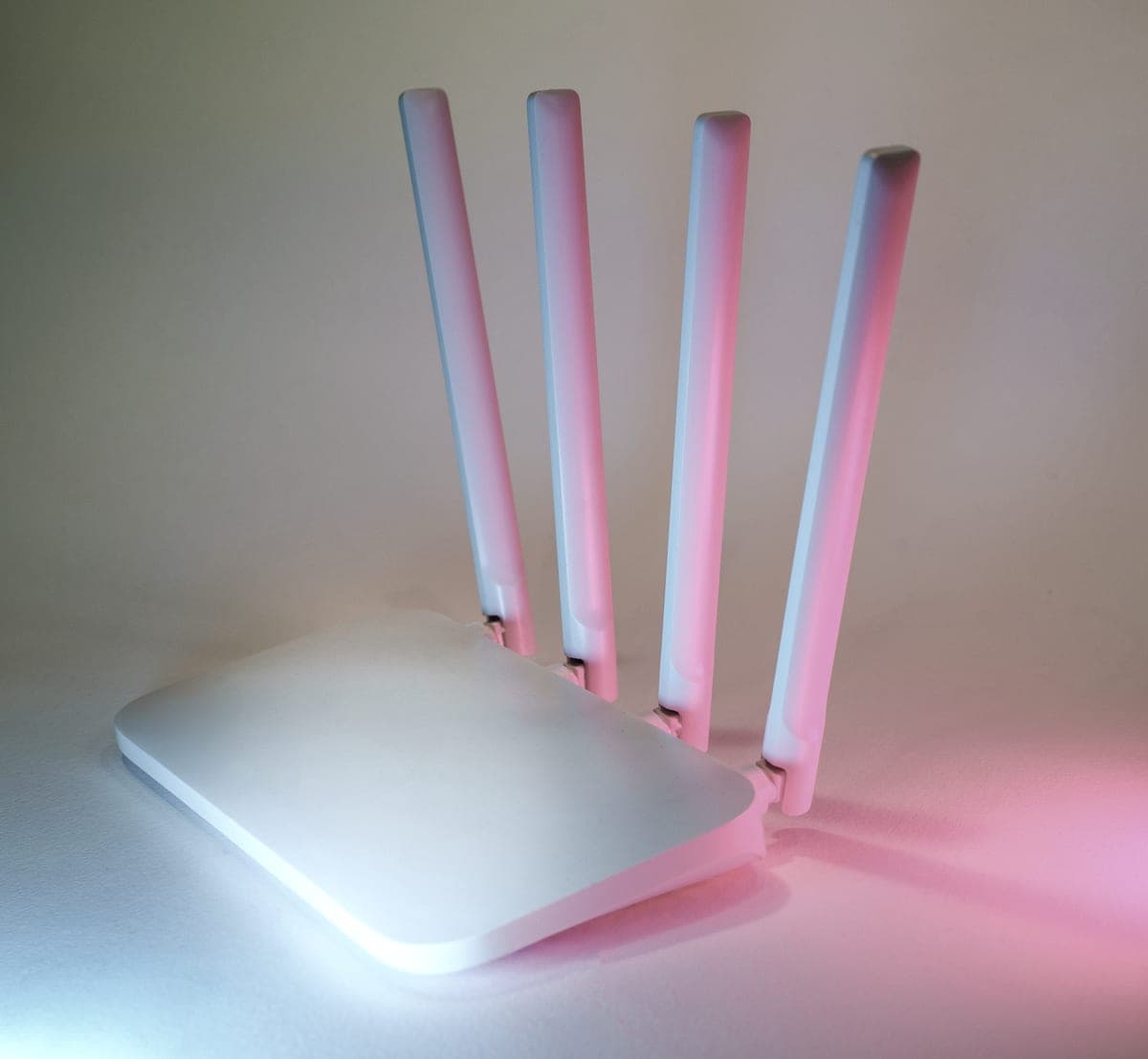
A home wireless network router on a shelf

Laser

Best wireless laser printers

Wireless is not a feature any more; it is the default. What still varies is whether the printer speaks 5 GHz, and whether it also has the cable that ends the problem for good.

By Ryder M. · Published September 29, 2026

Quick picks

Our ranked picks for best wireless laser printers, with the cost per page beside each one. Tap a row to jump to the full write-up.

Our ranked picks for best wireless laser printers, with the cost per page beside each one. Tap a row to jump to the full write-up.
#ProductBest forCost per pagePrice
1
A modern printer on a minimalist office desk
Brother HL-L2460DW$179.99, dual-band Wi-Fi and Ethernet, auto duplex
Best wireless laser overall~3.3¢
2
An office worker copying documents at a multifunction printer
Brother MFC-L2820DW$279.99, dual-band, Ethernet, 50-page feeder
Best wireless all-in-one~3.3¢
3
An open magazine on a white table, showing full-color print output
Brother HL-L3220CDW$284.99, wireless color with auto duplex
Best wireless color laser~3.2¢

#ad — buy links are affiliate links and we may earn a commission at no cost to you. How this site is funded. We do not display live prices, so every button sends you to Amazon’s own page for the current one. Cost-per-page figures are arithmetic on supply prices we read on 27 September 2026 — here is the method.

Searching for a wireless laser printer in 2026 is a bit like searching for a car with doors. The useful version of the question is narrower: which band does it use, does it also have a cable, and does it print from a phone without an app.

How we picked

We read the connectivity line on each manufacturer specification page and preferred models that publish dual-band wireless rather than 2.4 GHz alone, and models that carry Ethernet as well. Then the usual filters: cost per page from the largest genuine cartridge, and automatic two-sided printing.

We did not rank on wireless standard numbers. No printer on the market is limited by its radio — a page of text is a few hundred kilobytes, and 802.11n has been more than enough since before most of these printers existed.

Why dual-band is the specification that matters

The 2.4 GHz band is crowded. It travels further through walls, which is why cheap printers use it, and it shares that range with everything else in the neighborhood. The 5 GHz band is quieter and shorter-ranged. A printer that speaks both can sit on whichever one is behaving.

Brother publishes dual-band wireless on the HL-L2460DW, the MFC-L2820DW, the DCP-L2640DW and the business HL-L5210DW. That is the specification worth checking, and it is usually written as 802.11 b/g/n plus 802.11 a/n rather than the words “dual band”.

The cable is still the fix

Every intermittent printer problem in a shared house or a small office has the same shape: it worked yesterday, nobody changed anything, and it cannot be reproduced on demand. Most of the time the printer has moved to a different channel, gone to sleep on the radio, or been reassigned an address.

A cable removes all three failure modes at once for the cost of a patch lead. If the printer will live anywhere near the router, use it. Wireless is then a fallback rather than the only path.

Wi-Fi Direct, and what it is for

Wi-Fi Direct lets a phone or laptop connect straight to the printer without going through the router. It is listed on the Brother models here alongside AirPrint and Mopria. In practice it is a guest feature and a rescue feature: a visitor can print without being given the house Wi-Fi password, and you can still print when the router is the thing that is broken.

Printing from a phone

All three recommendations support AirPrint and Mopria, which between them cover essentially every phone and tablet without installing anything. Apple states that an AirPrint-enabled printer needs no additional drivers or software, and that the device must be on the same Wi-Fi network as the printer. The AirPrint models in detail.

Specifications and running costs side by side, for the printers discussed on this page.
PrinterSupply typeMono per pageColor per pageAuto duplexFeederList price
Brother HL-L2460DWToner~3.3¢mono onlyYesNo$180
Brother MFC-L2820DWToner~3.3¢mono onlyYesYes$280
Brother HL-L3220CDWToner~3.2¢not publishedYesNo$285
Brother HL-L5210DWToner~1.9¢mono onlyYesNo$330

Cost-per-page figures are our own arithmetic: supply price divided by the manufacturer’s rated page yield, using prices read on 27 September 2026 and yields rated at the ISO 5% coverage standard. They are not measured by us and they are not current prices. Every input, and the working · run the numbers for your own printing

The picks in detail

Best wireless laser overall

Brother HL-L2460DW

If you print black text and nothing else, this is the printer to buy. It cannot dry out, it duplexes, and Brother does not block third-party toner.

A modern printer on a minimalist office desk

Illustrative photograph of this kind of printer. We do not have this model in hand and this is not a photograph of the unit.

Check price on Amazon

#ad — we may earn a commission. How this site is funded. We do not show live prices; Amazon’s page is the price of record.

~3.3¢ per mono page

Based on a Brother TN830XL high-yield toner cartridge rated at 3,000 pages at $98.29, priced on 27 September 2026.

  • Brother TN830XL high-yield toner cartridge — rated 3,000 pages (ISO/IEC 19752), $98.29 at Brother USA, checked 27 September 2026

Yields are manufacturer-rated at the ISO 5% page-coverage standard, not measured by us, and real-world cost runs higher. Prices are not live: this is arithmetic on a price we read on the date shown, not a current price. How we calculate cost per page.

List price
$179.99 at Brother USA, checked 27 September 2026
Supply type
Toner cartridge
Print speed
Up to 36 pages per minute
Two-sided printing
Automatic
Document feeder
None
Connectivity
Dual-band wireless (2.4 GHz / 5 GHz), Ethernet or USB
Subscription
None required

What we like

  • Toner does not dry out, so it is ideal if you print in occasional bursts
  • Automatic two-sided printing at 36 pages per minute
  • Brother has publicly denied blocking third-party toner with firmware

What you give up

  • Black only - no color at all
  • Cost per page is roughly ten times a tank printer's
  • The 700-page starter cartridge runs out fast; budget for a TN830XL

Brother publishes dual-band wireless on this model — 802.11 b/g/n on 2.4 GHz and 802.11 a/n on 5 GHz — along with Ethernet and Hi-Speed USB 2.0. That combination at $179.99 is the reason it is the default recommendation across this site.

Dual-band matters more than it sounds. A 2.4 GHz-only printer shares a band with every microwave, baby monitor and neighboring router on the street; 5 GHz is quieter and shorter-ranged, which suits a printer sitting in the same room as the router.

Specifications read from the manufacturer’s own product page on 27 September 2026. Full cost-to-run breakdown for the Brother HL-L2460DW →

Best wireless all-in-one

Brother MFC-L2820DW

The small-office version of Brother's household mono laser: same cheap TN830 toner, but with a fifty-page feeder, fax and a scanner bolted on.

An office worker copying documents at a multifunction printer

Illustrative photograph of this kind of printer. We do not have this model in hand and this is not a photograph of the unit.

Check price on Amazon

#ad — we may earn a commission. How this site is funded. We do not show live prices; Amazon’s page is the price of record.

~3.3¢ per mono page

Based on a Brother TN830XL high-yield toner cartridge rated at 3,000 pages at $98.29, priced on 27 September 2026.

  • Brother TN830XL high-yield toner cartridge — rated 3,000 pages (ISO/IEC 19752), $98.29 at Brother USA, checked 27 September 2026

Yields are manufacturer-rated at the ISO 5% page-coverage standard, not measured by us, and real-world cost runs higher. Prices are not live: this is arithmetic on a price we read on the date shown, not a current price. How we calculate cost per page.

List price
$279.99 at Brother USA, checked 29 September 2026
Supply type
Toner cartridge
Print speed
Up to 34 pages per minute
Two-sided printing
Automatic
Document feeder
50-page automatic document feeder
Connectivity
Ethernet, dual-band wireless (2.4 GHz / 5 GHz) and Hi-Speed USB 2.0
Subscription
None required

What we like

  • Fifty-page document feeder and auto duplex at 34 pages a minute
  • Runs the same TN830XL toner as Brother's cheaper models, so no cost-per-page penalty for the extra hardware
  • Ethernet as well as dual-band Wi-Fi, which matters when several people share it

What you give up

  • Mono only - no color at all
  • Seventy dollars more than the DCP-L2640DW, and the difference is mostly the fax
  • The ADF scans one side only, so double-sided originals still need flipping

The same networking on an all-in-one: dual-band wireless, Ethernet, a fifty-page document feeder, a scanner and fax. It also carries AirPrint, Mopria and Wi-Fi Direct, so phones and tablets print without an app.

Wi-Fi Direct is the underrated one on a shared machine: it lets a device connect to the printer directly when the house network is having a bad day.

Specifications read from the manufacturer’s own product page on 29 September 2026.

Best wireless color laser

Brother HL-L3220CDW

A color laser that will not dry out between jobs. Buy it for occasional color that has to be crisp, not for cheap color - a tank printer wins on cost by a wide margin.

An open magazine on a white table, showing full-color print output

Illustrative photograph of this kind of printer. We do not have this model in hand and this is not a photograph of the unit.

Check price on Amazon

#ad — we may earn a commission. How this site is funded. We do not show live prices; Amazon’s page is the price of record.

~3.2¢ per mono page

Based on a Brother TN229XL black high-yield toner cartridge rated at 3,000 pages at $96.29, priced on 27 September 2026.

  • Brother TN229XL black high-yield toner cartridge — rated 3,000 pages (ISO/IEC 19798), $96.29 at Brother USA, checked 27 September 2026

Yields are manufacturer-rated at the ISO 5% page-coverage standard, not measured by us, and real-world cost runs higher. Prices are not live: this is arithmetic on a price we read on the date shown, not a current price. How we calculate cost per page.

List price
$284.99 at Brother USA, checked 27 September 2026
Supply type
Toner cartridge
Print speed
Up to 19 pages per minute in black and in color
Two-sided printing
Automatic
Document feeder
None
Connectivity
Wireless
Subscription
None required

What we like

  • Color laser output does not dry out during long idle spells
  • Auto duplex printing
  • Four separate cartridges, so one exhausted color does not mean replacing the set

What you give up

  • Color toner is expensive per page next to any ink tank printer
  • Four cartridges to replace instead of one
  • Slower than the mono lasers at 19 pages per minute

Wireless color laser printing at $284.99, with automatic two-sided printing and four separate cartridges. Brother lists wireless connectivity on this model without the Ethernet port the mono machines carry, which is the trade-off at the price.

If this printer is going to be shared by several people, the absence of a cable option is a genuine consideration — see the section below on why Ethernet still wins.

Specifications read from the manufacturer’s own product page on 27 September 2026.

Questions people actually ask

What is the best wireless laser printer?

The Brother HL-L2460DW at $179.99: Brother publishes dual-band wireless plus Ethernet on it, it duplexes at 36 pages a minute, and it costs about 3.3 cents a page on TN830XL toner. The MFC-L2820DW is the all-in-one version at $279.99.

Does a wireless printer need to be dual-band?

It helps. The 2.4 GHz band is congested in most neighborhoods; a dual-band printer can use the quieter 5 GHz band instead. Brother publishes dual-band wireless on the HL-L2460DW, DCP-L2640DW, MFC-L2820DW and HL-L5210DW.

Is Ethernet better than Wi-Fi for a printer?

For reliability, yes. A cable removes the intermittent failures that make a shared printer seem haunted — sleeping radios, channel changes and address reassignments. Buy a wireless printer and plug it in if it lives near the router.

What is Wi-Fi Direct on a printer?

A direct connection between a device and the printer that does not go through the router. It lets a visitor print without your Wi-Fi password, and it still works when the router is the thing that is broken.

Can I print to a wireless laser printer from an iPhone?

Yes, over AirPrint, with nothing installed — Apple’s requirement is that the iPhone and the printer are on the same Wi-Fi network. Every printer recommended on this page names AirPrint on Brother’s specification page.

Sources