On Linux the question is not print quality, it is whether the printer will talk to your machine at all without a proprietary installer. Two things decide that, and both are checkable.
#ad — buy links are affiliate links and we may earn a commission at no cost to you. How this site is funded. Prices as shown on Amazon as of November 12, 2026; Amazon’s own page is the price of record. Cost-per-page figures are arithmetic on supply prices we read on 27 September 2026 — here is the method.
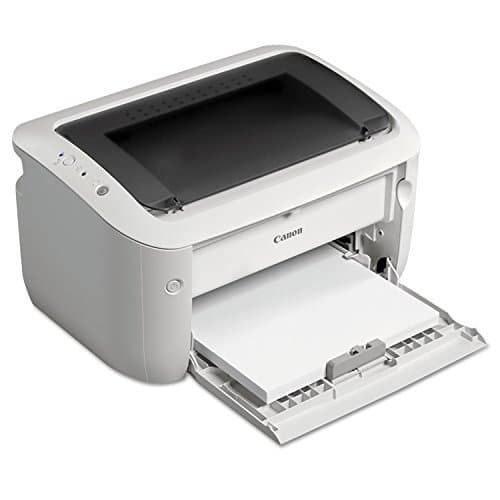
The Linux pick is the Brother HL-L2460DW, for any desktop or server printing black documents: Brother publishes Linux drivers in its own support downloads, the machine has Ethernet and USB as well as Wi-Fi, and it costs about 3.3 cents a page at $179.99. The budget pick is the Canon imageCLASS LBP6030w, which is cheaper and wireless-only — the missing Ethernet port is the trade. If you need to scan, buy the Brother DCP-L2640DW and test the scanner early.
Which printers work best with Linux?
Brother laser printers, for two checkable reasons: Brother publishes Linux print and scan drivers in its own support downloads, and its machines generally offer Ethernet and USB alongside Wi-Fi, so you are not dependent on a vendor app or cloud service. Standards-based driverless printing — IPP Everywhere and Mopria — also works on modern Linux without any vendor software at all.
How we picked
Linux printing fails for boring reasons, so we ranked on the things that actually break rather than on print quality.
Does the maker publish Linux drivers? Brother does, in its own support downloads, and Canon publishes them for much of its imageCLASS range. That is a verifiable fact about the vendor, not a community rumor, and it is the first filter.
Does it print without any driver? Modern Linux desktops print to IPP Everywhere and Mopria devices with no vendor software. Every pick here publishes network printing support, which is the fallback that works when nothing else does.
Is there a wired port? Ethernet and USB are the two connections that do not depend on an app, a phone or a cloud account. We prioritized machines that have both.
Is the supply honest? No subscription, no account, and a cost per page we have computed from published figures. A printer that needs a vendor app to tell it that it has ink is the wrong printer for this reader.
The two ways a Linux box prints, and why it matters
Either the printer speaks a standard your system already understands, or you install something from the manufacturer. Both routes work; they fail differently, and knowing which one you are on is most of the troubleshooting.
Driverless printing against vendor drivers on Linux
Driverless (IPP Everywhere / Mopria)
Vendor Linux driver
What you install
Nothing
A package from the maker's support site
How the printer is found
On the network, automatically
Configured by you
Works over USB
Not the usual path
Yes
Access to every tray and option
Basic set only
Usually full
Breaks when
Network discovery is blocked
Your distribution or kernel moves on
Driverless printing is the route we would try first on any modern desktop, because nothing to install is nothing to maintain. Keep the vendor driver as the fallback for tray selection and duplex options the standard set does not expose.
The practical consequence is the shopping advice: buy a printer with a wired port and published network printing support, and you have two independent routes to a working queue. Buy a wireless-only machine that expects its own app, and you have one. Printers that work without an app.
Why a laser, specifically, for a Linux user
This is not a Linux-specific argument, but it lands harder here. Linux machines are disproportionately used by people whose printing is bursty: nothing for six weeks, then forty pages of documentation. That is the exact pattern that ruins cheap inkjets, because the ink dries in the head while the machine sits. Toner is a dry powder and does not care. Whether laser printers dry out.
If you do need color, the honest answer is that a color laser is the expensive way to get it — about 3.2 cents for a black page off the TN229XL and considerably more for color — and a bottle-fed tank printer costs a fraction per page. Tank printers also publish network printing support, so the Linux side of that decision is no harder. The same argument for Mac users covers the standards in more detail.
What to check before you order
Three things, all of which take five minutes. Look up your exact model number in the manufacturer’s own support downloads and confirm a Linux package exists for your architecture, because support varies by model and not just by brand. Confirm the printer publishes Ethernet if you want a wired fallback. And check that the machine does not require account registration during setup — none of our picks does, which is why they are here.
Specifications and running costs side by side, for the printers discussed on this page.
#ad — the price buttons are affiliate links and we may earn a commission at no cost to you. How this site is funded. Prices as shown on Amazon as of November 12, 2026; Amazon’s own page is the price of record.
Cost-per-page figures are our own arithmetic: supply price divided by the manufacturer’s rated page yield, using prices read on 27 September 2026 and yields rated at the ISO 5% coverage standard. They are not measured by us and they are not current prices. Every input, and the working · run the numbers for your own printing
The picks in detail
Best Linux laser overall
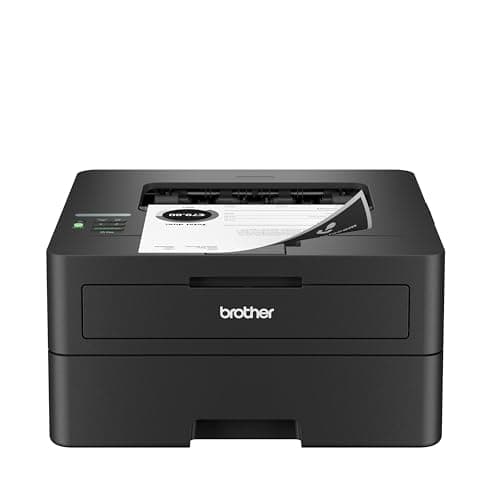
Brother HL-L2460DW
If you print black text and nothing else, this is the printer to buy. It cannot dry out, it duplexes, and Brother does not block third-party toner.
Product photograph supplied by Amazon for this listing. We do not have this model in hand and have not photographed it ourselves.
#ad — we may earn a commission. How this site is funded. Prices as shown on Amazon as of November 12, 2026; Amazon’s own page is the price of record.
~3.3¢ per mono page
Based on a Brother TN830XL high-yield toner cartridge rated at 3,000 pages at $98.29, priced on 27 September 2026.
Brother TN830XL high-yield toner cartridge — rated 3,000 pages (ISO/IEC 19752), $98.29 at Brother USA, checked 27 September 2026
Yields are manufacturer-rated at the ISO 5% page-coverage standard, not measured by us, and real-world cost runs higher. Prices are not live: this is arithmetic on a price we read on the date shown, not a current price. How we calculate cost per page.
Dual-band wireless (2.4 GHz / 5 GHz), Ethernet or USB
Subscription
None required
What we like
Toner does not dry out, so it is ideal if you print in occasional bursts
Automatic two-sided printing at 36 pages per minute
Brother has publicly denied blocking third-party toner with firmware
What you give up
Black only - no color at all
Cost per page is roughly ten times a tank printer's
The 700-page starter cartridge runs out fast; budget for a TN830XL
Who it is for: any Linux desktop or server that needs to print black documents reliably.
Brother is the brand Linux users recommend to each other, and the reason is concrete rather than cultural: Brother publishes Linux drivers for its printers in its own support downloads, alongside the Windows and macOS ones. That is not a promise every manufacturer makes.
The second reason is the ports. This machine publishes dual-band Wi-Fi, Ethernet and USB, so if driverless network printing does not behave you have two wired fallbacks that do not depend on a vendor cloud. Thirty-six pages a minute, automatic duplex, $179.99, about 3.3 cents a page on the TN830XL.
Honest cons. Mono only, no scanner, 700-page starter cartridge, separate DR830 drum. And driver availability is a published fact rather than a guarantee for your distribution — check the download list for your architecture before you buy. The full breakdown.
#ad — we may earn a commission. How this site is funded. Prices as shown on Amazon as of November 12, 2026; Amazon’s own page is the price of record.
~3.3¢ per mono page
Based on a Brother TN830XL high-yield toner cartridge rated at 3,000 pages at $98.29, priced on 27 September 2026.
Brother TN830XL high-yield toner cartridge — rated 3,000 pages (ISO/IEC 19752), $98.29 at Brother USA, checked 27 September 2026
Yields are manufacturer-rated at the ISO 5% page-coverage standard, not measured by us, and real-world cost runs higher. Prices are not live: this is arithmetic on a price we read on the date shown, not a current price. How we calculate cost per page.
50-page document feeder, so scanning a stack is one action
Auto duplex printing at 36 pages per minute
Same TN830 toner family as the HL-L2460DW, with the same cost per page
What you give up
Mono only
Thirty dollars more than the print-only model for hardware you may not need
Toner is far dearer per page than bottle ink
Who it is for: a Linux home office that scans documents as well as printing them.
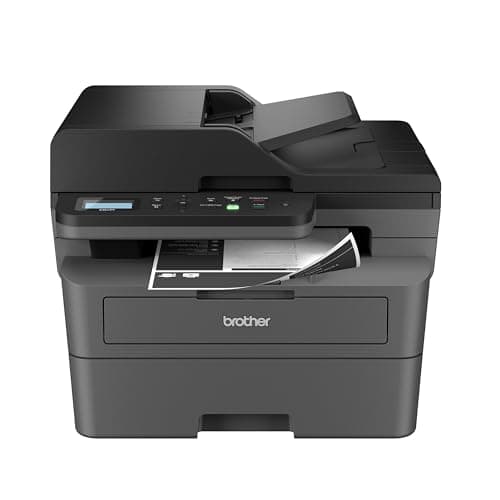
Scanning is where Linux printing usually falls over, because a scanner needs its own driver rather than riding on a print standard. Brother publishes Linux scanner packages alongside its print drivers, which makes its all-in-ones the pragmatic choice. This one adds a flatbed with a 50-page automatic document feeder, Ethernet, 36 pages a minute and automatic duplex for $209.99.
Honest cons. Mono only. The feeder scans one side at a time. And scanner support on Linux is more variable than printing: test it early in your return window rather than assuming. What it costs to run.
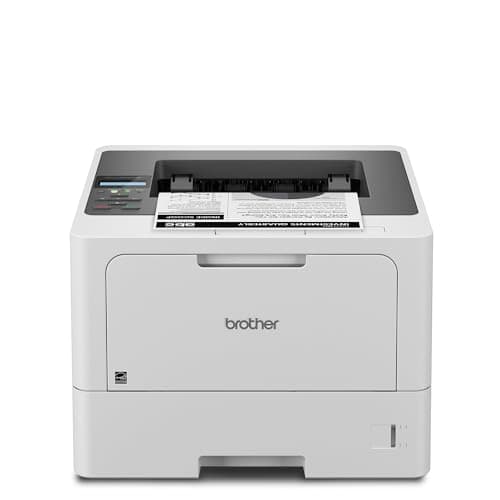
The cheapest way onto Brother's business toner family, which is the real reason to buy it: the cartridge is roughly half the cost per page of the household models.
Product photograph supplied by Amazon for this listing. We do not have this model in hand and have not photographed it ourselves.
#ad — we may earn a commission. How this site is funded. Prices as shown on Amazon as of November 12, 2026; Amazon’s own page is the price of record.
~1.9¢ per mono page
Based on a Brother TN920XXL super high-yield toner cartridge rated at 11,000 pages at $204.29, priced on 29 September 2026.
Brother TN920XXL super high-yield toner cartridge — rated 11,000 pages (ISO/IEC 19752), $204.29 at Brother USA, checked 29 September 2026
Yields are manufacturer-rated at the ISO 5% page-coverage standard, not measured by us, and real-world cost runs higher. Prices are not live: this is arithmetic on a price we read on the date shown, not a current price. How we calculate cost per page.
Gigabit Ethernet, dual-band wireless (2.4 GHz / 5 GHz) and Hi-Speed USB 2.0
Subscription
None required
What we like
TN920XXL toner works out at roughly half the cost per page of the household TN830XL
A genuine second paper source - a 100-sheet multi-purpose tray, not a one-sheet slot
48 pages a minute with auto duplex and Gigabit Ethernet
What you give up
Print only - no scanner, no copier, no fax
$150 more than the HL-L2460DW before you buy any toner
A replacement cartridge is a $200-plus purchase, even though each page is cheaper
Who it is for: a shared printer on a home or small office network, driven from Linux.
A network printer behind a Linux print server wants three things: a real Ethernet port, enough paper that nobody has to walk to it, and a cartridge cheap enough that shared printing does not hurt. This has all three — 250 plus 100 sheets expandable to 1,390, 48 pages a minute, and about 1.9 cents a page on the TN920XXL, roughly half the household ladder.
Honest cons. Print only, so a server setup still needs a separate scanner. The cartridge is a $200-plus purchase. And Brother’s store showed it out of stock when we last looked, so confirm availability. The HL-L5210DW in full.
#ad — we may earn a commission. How this site is funded. Prices as shown on Amazon as of November 12, 2026; Amazon’s own page is the price of record.
~6.1¢ per mono page
Based on a Canon 125 black toner cartridge rated at 1,600 pages at $96.95, priced on 27 September 2026.
Canon 125 black toner cartridge — rated 1,600 pages (ISO/IEC 19752), $96.95 at Precision Roller, checked 27 September 2026
Yields are manufacturer-rated at the ISO 5% page-coverage standard, not measured by us, and real-world cost runs higher. Prices are not live: this is arithmetic on a price we read on the date shown, not a current price. How we calculate cost per page.
List price
Not published where we checked on 27 September 2026
Supply type
Toner cartridge
Two-sided printing
Manual only
Document feeder
None
Connectivity
Wireless
Subscription
None required
What we like
Compact and long established, so toner is easy to find
Laser, so nothing dries out between jobs
Frequently sold well below the price of a Brother equivalent
What you give up
Highest cost per page on this site once you buy genuine toner
No automatic two-sided printing, so paper costs double
Canon's own store would not show us a printer price on the date we checked
Who it is for: a Linux user printing a handful of pages a month who wants the lowest entry price.
A small wireless mono laser with no app ecosystem attached to it at all, which on Linux is a feature rather than an omission. Canon publishes Linux drivers for much of its imageCLASS range in its own support downloads; as with every pick here, check the list for your specific distribution and architecture first.
Honest cons. Wireless only — no Ethernet port, which removes the most reliable fallback a Linux setup has. The Canon 125 cartridge is rated at 1,600 pages, about 6.1 cents a page, the dearest here. No duplexer, no scanner. What it costs to run.
The Brother HL-L2460DW at $179.99. Brother publishes Linux drivers in its own support downloads, the printer offers Ethernet and USB as well as Wi-Fi, and it costs about 3.3 cents a page on high-yield toner.
+−Do printers work on Linux without drivers?
Many do. Modern Linux desktops print to IPP Everywhere and Mopria devices with no vendor software installed. You may lose access to specific trays or finishing options that only the vendor driver exposes.
+−Does Brother support Linux officially?
Brother publishes Linux print and scan driver downloads for its printers on its own support site, alongside Windows and macOS. Availability is per model, so check your exact model number before buying.
+−Is scanning harder than printing on Linux?
Generally yes, because a scanner needs its own driver rather than riding on a print standard. Brother publishes Linux scanner packages, which is why its all-in-ones are the pragmatic pick — but test scanning early in your return window.
+−Should I avoid Wi-Fi-only printers on Linux?
Not avoid, but prefer a machine with Ethernet or USB as well. A wired port is the fallback that works when network discovery is blocked or the wireless setup wants a phone app.