Every printer here prints from a cable. That sounds unremarkable until you try to buy one - plenty of current machines expect a phone, an app and a network before they will do anything.
#ad — buy links are affiliate links and we may earn a commission at no cost to you. How this site is funded. Prices as shown on Amazon as of November 12, 2026; Amazon’s own page is the price of record. Cost-per-page figures are arithmetic on supply prices we read on 27 September 2026 — here is the method.
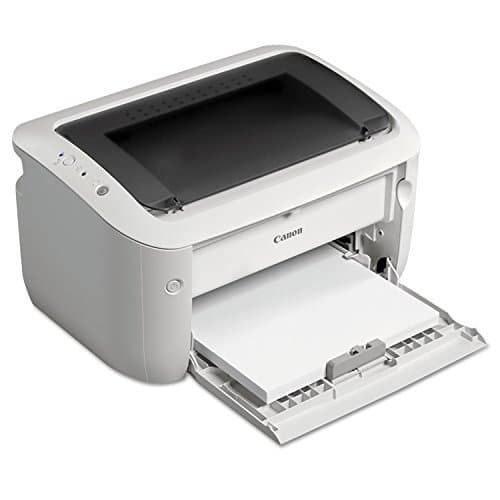
The printer to buy if you do not want Wi-Fi is the Brother HL-L2460DW: it publishes USB and Ethernet as well as wireless, so you have a cable and a spare cable, at $179.99 and about 3.3 cents a page. If you need to scan, the Brother DCP-L2640DW adds a feeder and Ethernet for $209.99. For color on a wire, the Epson EcoTank ET-4800. The budget pick is the Canon imageCLASS LBP6030w, which is wireless-only and therefore the compromise here.
Do printers need Wi-Fi to work?
No. Every printer on this page prints over a cable — USB, Ethernet, or both — with no wireless network, no app and no account involved. What varies is how hard the manufacturer makes it: some current machines walk you into a phone app and an online account during setup, and the wired route is available but not offered first.
How we picked
This is a ports-and-setup question, not a print-quality question, so that is what we ranked on.
How many wired connections does the maker publish? Two is better than one, because it gives you a fallback. The Brother HL-L2460DW publishes Ethernet and USB; the Canon publishes wireless only.
Can you finish setup without an app? A printer that needs a phone to be configured is a printer that can be withheld. We prefer machines with a control panel and a cable.
Does anything require an account? None of these picks does. That rules out a good deal of the current consumer market.
What does a page cost? Our arithmetic on published supply prices, because a printer bought for independence should not be expensive to feed.
The three ways to print without Wi-Fi
Worth separating, because they fail differently and people conflate them.
Wired and offline printing routes compared
Route
What you need
Good for
Limitation
USB cable
A USB cable and a free port
One computer, total reliability
Only that computer can print
Ethernet cable
A router or switch, a cable
Several computers, shared use
Needs a wired network point
Wi-Fi Direct
Nothing but the printer
A phone or laptop, no router
Device-by-device, and it is still wireless
Walk-up printing from USB stick
A supported printer
Printing with no computer at all
Not published on every model here
Read from each manufacturer’s own specification pages on 27 September 2026. Confirm the specific port on the model you order: manufacturers vary connections between regional versions of the same machine.
Two different objections arrive at this page and they want different answers. Some readers do not want wireless at all — a cable is simpler, it does not drop, and it does not need a password. Others do not mind Wi-Fi but refuse to have a printer that stops working when a cloud service goes down or an account expires. The second group is better served by looking at what the printer requires rather than how it connects.
The practical test is this: can you print from a computer with the router’s internet connection unplugged? On every machine here the answer is yes. On a cloud-dependent printer it may not be, and that is the distinction worth shopping on. Printers that work without an app.
Setting one up without the app
The route is the same on every machine here. Plug the cable in before you power up, let the operating system find the printer, and install the manufacturer’s driver from its own support site if your system does not already have one — modern desktops often print to network machines with no driver at all. Then, on day one, turn automatic firmware updates off, which keeps the printer behaving the way it did when you bought it.
Specifications and running costs side by side, for the printers discussed on this page.
#ad — the price buttons are affiliate links and we may earn a commission at no cost to you. How this site is funded. Prices as shown on Amazon as of November 12, 2026; Amazon’s own page is the price of record.
Cost-per-page figures are our own arithmetic: supply price divided by the manufacturer’s rated page yield, using prices read on 27 September 2026 and yields rated at the ISO 5% coverage standard. They are not measured by us and they are not current prices. Every input, and the working · run the numbers for your own printing
The picks in detail
Best printer without Wi-Fi overall
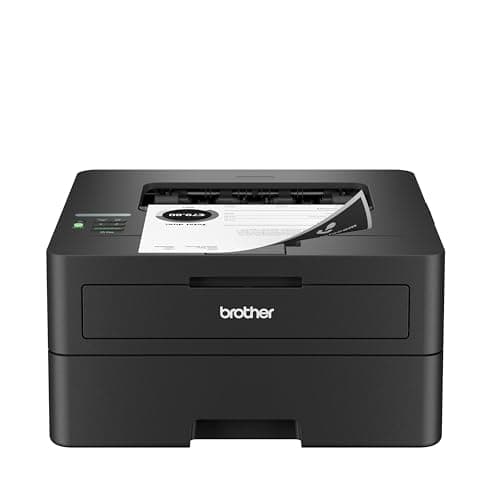
Brother HL-L2460DW
If you print black text and nothing else, this is the printer to buy. It cannot dry out, it duplexes, and Brother does not block third-party toner.
Product photograph supplied by Amazon for this listing. We do not have this model in hand and have not photographed it ourselves.
#ad — we may earn a commission. How this site is funded. Prices as shown on Amazon as of November 12, 2026; Amazon’s own page is the price of record.
~3.3¢ per mono page
Based on a Brother TN830XL high-yield toner cartridge rated at 3,000 pages at $98.29, priced on 27 September 2026.
Brother TN830XL high-yield toner cartridge — rated 3,000 pages (ISO/IEC 19752), $98.29 at Brother USA, checked 27 September 2026
Yields are manufacturer-rated at the ISO 5% page-coverage standard, not measured by us, and real-world cost runs higher. Prices are not live: this is arithmetic on a price we read on the date shown, not a current price. How we calculate cost per page.
Dual-band wireless (2.4 GHz / 5 GHz), Ethernet or USB
Subscription
None required
What we like
Toner does not dry out, so it is ideal if you print in occasional bursts
Automatic two-sided printing at 36 pages per minute
Brother has publicly denied blocking third-party toner with firmware
What you give up
Black only - no color at all
Cost per page is roughly ten times a tank printer's
The 700-page starter cartridge runs out fast; budget for a TN830XL
Who it is for: anyone who wants to plug a printer in and have it print, with the wireless side switched off or ignored.
Brother publishes three connections on this machine: dual-band Wi-Fi, Ethernet and USB. Two of those are cables, which means you have a primary route and a fallback that work with no network, no router and no phone involved. At $179.99 with 36 pages a minute, automatic two-sided printing and about 3.3 cents a page on the TN830XL, it is also simply the best cheap laser we cover.
Honest cons. Black only, no scanner, 700-page starter cartridge, separate DR830 drum rated at about 15,000 pages. The full breakdown.
#ad — we may earn a commission. How this site is funded. Prices as shown on Amazon as of November 12, 2026; Amazon’s own page is the price of record.
~3.3¢ per mono page
Based on a Brother TN830XL high-yield toner cartridge rated at 3,000 pages at $98.29, priced on 27 September 2026.
Brother TN830XL high-yield toner cartridge — rated 3,000 pages (ISO/IEC 19752), $98.29 at Brother USA, checked 27 September 2026
Yields are manufacturer-rated at the ISO 5% page-coverage standard, not measured by us, and real-world cost runs higher. Prices are not live: this is arithmetic on a price we read on the date shown, not a current price. How we calculate cost per page.
50-page document feeder, so scanning a stack is one action
Auto duplex printing at 36 pages per minute
Same TN830 toner family as the HL-L2460DW, with the same cost per page
What you give up
Mono only
Thirty dollars more than the print-only model for hardware you may not need
Toner is far dearer per page than bottle ink
Who it is for: a household or office that needs to scan and does not want scanning to depend on an app.
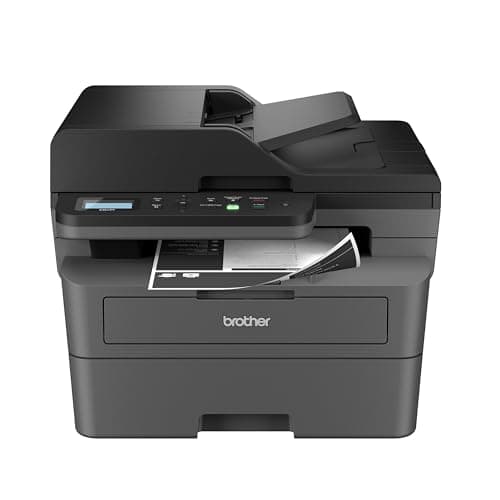
Scanning is where wireless-only machines are at their worst, because the scan has to get back to your computer and vendor apps are the usual route. A wired connection makes it a local operation. Brother gives this one Ethernet and dual-band wireless, a flatbed with a 50-page automatic document feeder, 36 pages a minute and automatic duplex, for $209.99.
Honest cons. Mono only, no fax, and the feeder scans one side at a time. Brother publishes Ethernet rather than naming a USB port on the page we read, so confirm the cable you need before ordering. What it costs to run.
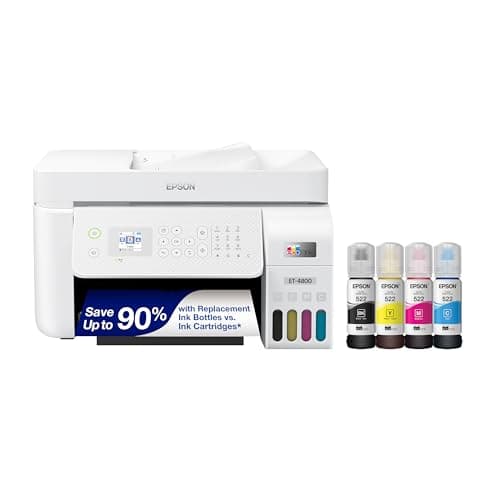
The ET-2800's running cost with the office hardware bolted on: a document feeder, wired Ethernet and fax. Worth it only if you actually need one of those three.
Product photograph supplied by Amazon for this listing. We do not have this model in hand and have not photographed it ourselves.
#ad — we may earn a commission. How this site is funded. Prices as shown on Amazon as of November 12, 2026; Amazon’s own page is the price of record.
~0.4¢ per mono page · ~1.1¢ per color page
Based on a Epson 522 black ink bottle rated at 4,500 pages at $17.99, priced on 27 September 2026.
The color figure adds one per-page cost for each of the three color channels, because an ISO color page draws from all of them.
Epson 522 black ink bottle — rated 4,500 pages (ISO/IEC 24712), $17.99 at Epson US, checked 27 September 2026
Epson 522 color ink bottle — rated 7,500 pages (ISO/IEC 24712), $17.99 at Epson US, checked 27 September 2026
Yields are manufacturer-rated at the ISO 5% page-coverage standard, not measured by us, and real-world cost runs higher. Prices are not live: this is arithmetic on a price we read on the date shown, not a current price. How we calculate cost per page.
List price
Not published where we checked on 27 September 2026
Supply type
Refillable ink bottles
Two-sided printing
Not stated on the spec page we read
Document feeder
Automatic document feeder
Connectivity
Wireless and Ethernet
Subscription
None required
What we like
Same 522 ink and therefore the same cost per page as the cheaper EcoTanks
Automatic document feeder for multi-page scanning and copying
Wired Ethernet, which is more reliable than Wi-Fi for a shared printer
What you give up
Epson did not publish a list price on its product page when we checked
You pay for the feeder and the fax whether or not you use them
Still an inkjet, so it wants occasional use
Who it is for: someone who needs color and scanning on a wired connection.
Epson publishes wireless and Ethernet for this one, so it can live on a cable on a desk or in a cupboard and still be reached. It prints, scans and copies in color with an automatic document feeder and fax, on refillable 522 bottles at about 0.4 of a cent a mono page and 1.1 cents an ISO color page.
Honest cons. No automatic two-sided printing, one paper tray, and an inkjet feeder is slow. Setup still offers the wireless route first, which you can decline. Our ET-4800 page.
#ad — we may earn a commission. How this site is funded. Prices as shown on Amazon as of November 12, 2026; Amazon’s own page is the price of record.
~6.1¢ per mono page
Based on a Canon 125 black toner cartridge rated at 1,600 pages at $96.95, priced on 27 September 2026.
Canon 125 black toner cartridge — rated 1,600 pages (ISO/IEC 19752), $96.95 at Precision Roller, checked 27 September 2026
Yields are manufacturer-rated at the ISO 5% page-coverage standard, not measured by us, and real-world cost runs higher. Prices are not live: this is arithmetic on a price we read on the date shown, not a current price. How we calculate cost per page.
List price
Not published where we checked on 27 September 2026
Supply type
Toner cartridge
Two-sided printing
Manual only
Document feeder
None
Connectivity
Wireless
Subscription
None required
What we like
Compact and long established, so toner is easy to find
Laser, so nothing dries out between jobs
Frequently sold well below the price of a Brother equivalent
What you give up
Highest cost per page on this site once you buy genuine toner
No automatic two-sided printing, so paper costs double
Canon's own store would not show us a printer price on the date we checked
Who it is for: very light printing on one computer, at the lowest price.
A small wireless mono laser with no app ecosystem attached to it, which is the point for this reader. For a single computer and a handful of pages a month it is the cheapest way to own a printer that does not want anything from you.
Honest cons. Canon publishes wireless for this model and no Ethernet port, so it has fewer wired options than the Brothers above — check the port on the unit you are buying. The Canon 125 cartridge is rated at only 1,600 pages, about 6.1 cents a page, the dearest here to run. No scanner, no duplexer. What it costs to run.
+−What is the best printer that works without Wi-Fi?
The Brother HL-L2460DW at $179.99, because Brother publishes Ethernet and USB alongside wireless — two independent cable routes — with 36 pages a minute and about 3.3 cents a page.
+−Can you use a printer with just a USB cable?
Yes, and for a single computer it is the most reliable way to print. Nothing depends on a router, a password or an app. Remember to buy the cable, which is not usually included.
+−Do printers need the internet to work?
Not these ones. Every pick here prints from a locally connected computer with the internet unplugged. Some cloud-oriented printers behave differently, which is why the question is worth asking before buying.
+−Can I scan without Wi-Fi or an app?
Over a wired connection, yes — the scan is a local operation between the printer and your computer. The Brother DCP-L2640DW is our pick for wired scanning, with Ethernet and a 50-page document feeder.
+−Is Wi-Fi Direct the same as printing without Wi-Fi?
No. Wi-Fi Direct lets a phone or laptop talk to the printer without a router, which is useful, but it is still a wireless connection and still set up device by device. A cable is the answer if wireless itself is the objection.