Nothing about printing is difficult. The account, the app, the firmware update and the plan that expires are difficult, and they are all optional if you buy the right machine.
#ad — buy links are affiliate links and we may earn a commission at no cost to you. How this site is funded. Prices as shown on Amazon as of November 28, 2026; Amazon’s own page is the price of record. Cost-per-page figures are arithmetic on supply prices we read on 27 September 2026 — here is the method.
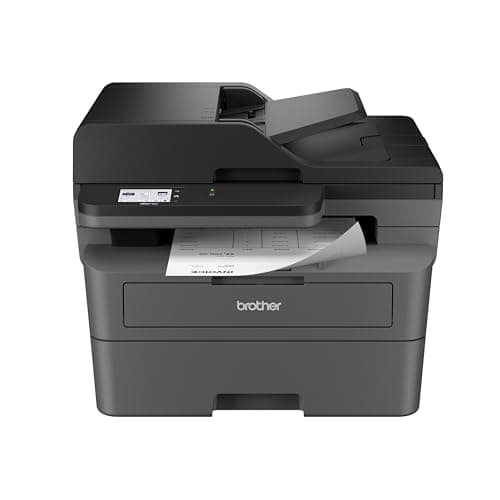
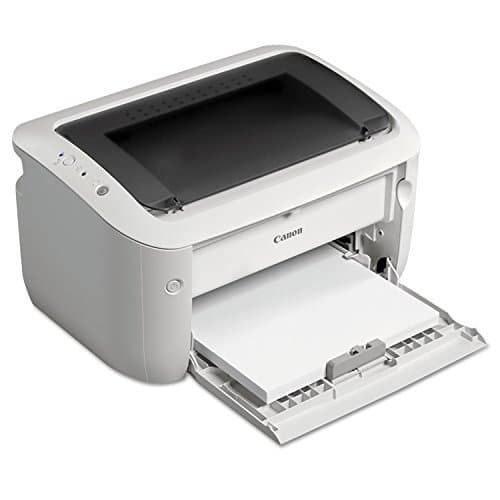
The printer to buy is the Brother DCP-L2640DW: it prints, scans and copies without a computer, its toner cannot dry out while the machine sits unused, and Brother asks for no app, no account and no subscription to print. If color matters, the Epson EcoTank ET-2800 does the same job on refillable bottles. The budget pick is the Canon imageCLASS LBP6030w, the cheapest machine here to buy and the dearest to run — fine at twenty pages a month, a mistake at a hundred.
What should you look for in a printer for an older user?
Four things, and none of them is a specification you will find in a marketing bullet: a supply that cannot dry out between jobs (toner, or a tank you refill), no required app or account to print, no subscription that can stop the printer working, and one obvious supply to re-order. Everything on this page clears all four. The Brother DCP-L2640DW clears them and copies without a computer, which is why it leads.
How we picked
A word about what this page does not claim. We have not handled these machines and we have no lab, so you will find nothing here about button size, screen legibility or how the menus feel — those would be invented. What we can check, from the manufacturers’ own published material and our own arithmetic, is the friction that surrounds the printing. That is what we ranked on.
Does it need an app or an account to print? None of these do. That is deliberate: a printer that insists on a phone app and a sign-in before it will put ink on paper has added a computer problem to a paper problem. The printers that work without an app.
Will it survive being ignored? Four of the five picks here are lasers for exactly this reason. A machine that is used twice a month must not punish you for the other twenty-eight days.
Can it copy without a computer? For a lot of households this is the single most-used function — a prescription, a form, a letter for the file. Only the all-in-ones here do it.
Is the supply easy to buy, and is there only one? A single black cartridge with an obvious name is easier to re-order than four colors. We name the exact part for each pick rather than leaving you in a catalogue.
One supply to remember, and what it is called
The commonest way a home printer becomes unusable is not a fault: it is running out of something and nobody being sure what to buy. So here is the whole list for this page, with the rated yield and the price we read it at.
The supply for each pick, with its rated yield and our cost per page
Printer
Ask for
Rated pages
Our cost per page
Brother DCP-L2640DW, MFC-L2820DW, HL-L2460DW
Brother TN830XL high-yield toner cartridge
3,000
~3.3¢
Epson EcoTank ET-2800
Epson 522 black ink bottle (plus color bottles)
4,500
~0.4¢ mono, ~1.1¢ color
Canon imageCLASS LBP6030w
Canon 125 black toner cartridge
1,600
~6.1¢
Prices and rated yields read on 27 September 2026 from the sources listed at the foot of this page. The Brother lasers also use a separate drum unit, the DR830, rated at approximately 15,000 pages — it is replaced far less often than the toner.
Two practical notes. On the Brother machines, always buy the XL version of the cartridge: the standard TN830 works out at about 5.1 cents a page against about 3.3 cents for the TN830XL, for a smaller difference in price. And on the Epson, the bottles are not interchangeable between models — 522 is the one for the ET-2800.
What to avoid, and why
If you are buying a printer for a parent or for yourself and want it to stay simple, three things on the shelf are worth walking past.
Anything sold with an ink subscription. The offer is cheap pages for a monthly fee, and the catch is that the printer can refuse to use ink that is physically in it if the plan lapses. We have written about what happens when a plan is cancelled. For light printing the economics never work anyway.
Any printer that requires a phone app to set up. Every pick here can be added from a computer over the network or, on the HL-L2460DW and MFC-L2820DW, over a USB cable.
The cheapest cartridge inkjet in the shop. It is cheap because the cartridges are not, and a low-volume household is precisely the case where an inkjet is also most likely to dry out between uses.
Printing from a phone or a tablet
This is the part people expect to be hard and it mostly is not, as long as the printer supports the standards rather than demanding an app. Brother publishes AirPrint, Mopria and Wi-Fi Direct on the HL-L2460DW, the MFC-L2820DW and its color laser, which means an iPhone or iPad finds the printer on the home network and prints from the normal share sheet with nothing installed. Printing from a phone, in full and the AirPrint printers we recommend go further into it.
Wi-Fi Direct is the underrated one for a household with a flaky router: the printer makes its own connection to the phone, so printing still works when the broadband does not. Printers that work without Wi-Fi at all covers the wired and USB routes.
Specifications and running costs side by side, for the printers discussed on this page.
#ad — the price buttons are affiliate links and we may earn a commission at no cost to you. How this site is funded. Prices as shown on Amazon as of November 28, 2026; Amazon’s own page is the price of record.
Cost-per-page figures are our own arithmetic: supply price divided by the manufacturer’s rated page yield, using prices read on 27 September 2026 and yields rated at the ISO 5% coverage standard. They are not measured by us and they are not current prices. Every input, and the working · run the numbers for your own printing
The picks in detail
Best printer for seniors
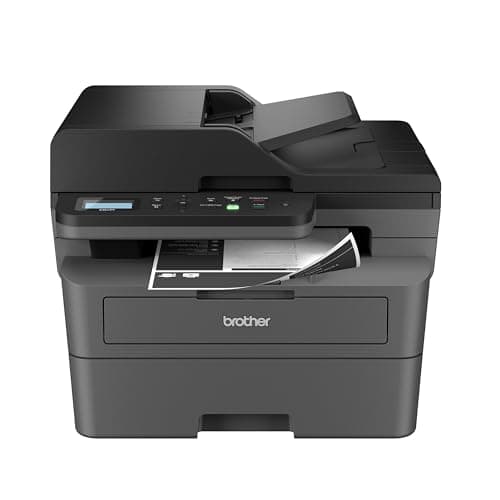
Brother DCP-L2640DW
The HL-L2460DW with a scanner and a 50-page feeder on top. For most home offices that need to scan, this is the sensible mono laser.
Product photograph supplied by Amazon for this listing. We do not have this model in hand and have not photographed it ourselves.
#ad — we may earn a commission. How this site is funded. Prices as shown on Amazon as of November 28, 2026; Amazon’s own page is the price of record.
~3.3¢ per mono page
Based on a Brother TN830XL high-yield toner cartridge rated at 3,000 pages at $98.29, priced on 27 September 2026.
Brother TN830XL high-yield toner cartridge — rated 3,000 pages (ISO/IEC 19752), $98.29 at Brother USA, checked 27 September 2026
Yields are manufacturer-rated at the ISO 5% page-coverage standard, not measured by us, and real-world cost runs higher. Prices are not live: this is arithmetic on a price we read on the date shown, not a current price. How we calculate cost per page.
50-page document feeder, so scanning a stack is one action
Auto duplex printing at 36 pages per minute
Same TN830 toner family as the HL-L2460DW, with the same cost per page
What you give up
Mono only
Thirty dollars more than the print-only model for hardware you may not need
Toner is far dearer per page than bottle ink
Who it is for: anyone who wants a printer that copies a letter, prints a form and then sits quietly for a month without becoming a problem.
Two things make this the pick. The first is toner: it is a dry powder, so there is no nozzle to block and nothing to dry out between jobs. The most common frustration we hear about home printers — it would not print when it was finally needed — is an inkjet failure mode, and this machine does not have it. The second is that it is a copier. Brother builds it with a flatbed scanner and a 50-page automatic document feeder, so copying a stack of pages does not involve a computer at all.
Brother requires no subscription and no account to print. It connects over Ethernet or dual-band Wi-Fi, prints 36 pages a minute and does automatic two-sided printing. Supplies are easy to re-buy because there is one black cartridge to know: ask for a TN830XL.
Honest cons. Black only. The TN830XL is a single purchase of close to a hundred dollars, which is a larger single purchase than a bottle of ink even though each page works out at about 3.3 cents. There is a separate drum unit to replace at roughly 15,000 pages, which is one more part to understand. What the DCP-L2640DW costs to run.
#ad — we may earn a commission. How this site is funded. Prices as shown on Amazon as of November 28, 2026; Amazon’s own page is the price of record.
~3.3¢ per mono page
Based on a Brother TN830XL high-yield toner cartridge rated at 3,000 pages at $98.29, priced on 27 September 2026.
Brother TN830XL high-yield toner cartridge — rated 3,000 pages (ISO/IEC 19752), $98.29 at Brother USA, checked 27 September 2026
Yields are manufacturer-rated at the ISO 5% page-coverage standard, not measured by us, and real-world cost runs higher. Prices are not live: this is arithmetic on a price we read on the date shown, not a current price. How we calculate cost per page.
Dual-band wireless (2.4 GHz / 5 GHz), Ethernet or USB
Subscription
None required
What we like
Toner does not dry out, so it is ideal if you print in occasional bursts
Automatic two-sided printing at 36 pages per minute
Brother has publicly denied blocking third-party toner with firmware
What you give up
Black only - no color at all
Cost per page is roughly ten times a tank printer's
The 700-page starter cartridge runs out fast; budget for a TN830XL
Who it is for: someone who wants to print and has no interest in scanning or copying.
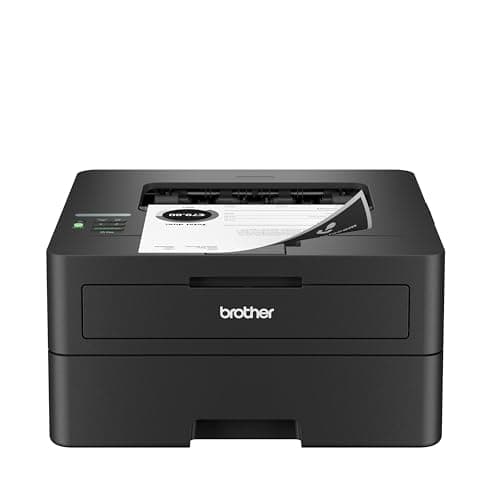
Every feature on a printer is a thing that can go wrong, and a print-only laser has the fewest. It takes the same toner family as the pick above at about 3.3 cents a page, duplexes automatically, runs at 36 pages a minute, and connects over dual-band Wi-Fi, Ethernet or a USB cable — that last option matters, because a printer plugged straight into a computer cannot be broken by a router change.
Brother publishes AirPrint, Mopria and Wi-Fi Direct on it, which is the practical way to print from a phone or tablet without installing anything. No app is required to print.
Honest cons. It cannot copy, which is the one job a lot of households actually want. Black only. The box contains a 700-page starter cartridge rather than a full one. The full breakdown.
#ad — we may earn a commission. How this site is funded. Prices as shown on Amazon as of November 28, 2026; Amazon’s own page is the price of record.
~0.4¢ per mono page · ~1.1¢ per color page
Based on a Epson 522 black ink bottle rated at 4,500 pages at $17.99, priced on 27 September 2026.
The color figure adds one per-page cost for each of the three color channels, because an ISO color page draws from all of them.
Epson 522 black ink bottle — rated 4,500 pages (ISO/IEC 24712), $17.99 at Epson US, checked 27 September 2026
Epson 522 color ink bottle — rated 7,500 pages (ISO/IEC 24712), $17.99 at Epson US, checked 27 September 2026
Yields are manufacturer-rated at the ISO 5% page-coverage standard, not measured by us, and real-world cost runs higher. Prices are not live: this is arithmetic on a price we read on the date shown, not a current price. How we calculate cost per page.
Among the lowest cost per page of any printer sold for home use
Refillable bottles, so no chipped cartridge can be locked out by firmware
Comes with enough ink in the box to last most households a long time
What you give up
No automatic two-sided printing, so paper costs twice what it needs to
Flatbed scanner only - no document feeder for multi-page scans
Inkjets still need to be used occasionally or the print head can clog
Who it is for: someone who prints photographs of grandchildren, greetings cards, or anything else that has to be in color.
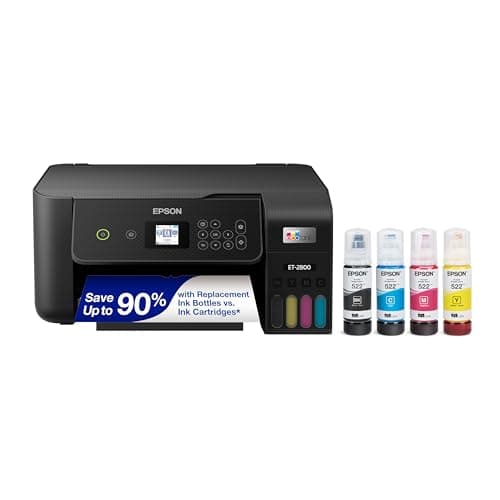
Refilling a tank from a bottle is physically easier than seating a cartridge, and it happens far less often: a 522 black bottle is rated at 4,500 pages. There is no chip, no plan and no account; Epson’s ReadyPrint subscription applies to its cartridge printers, not to EcoTank. Cost per page is about 0.4 of a cent mono and 1.1 cents for an ISO color page, so printing in color stops being something to ration.
It prints, scans and copies, which covers the three things most households want from one box.
Honest cons. It is an inkjet, so it wants to be used: a page every couple of weeks is enough, but months of complete idleness can clog the head. No automatic two-sided printing is published on it, and the scanner is flatbed only. Our ET-2800 page.
#ad — we may earn a commission. How this site is funded. Prices as shown on Amazon as of November 28, 2026; Amazon’s own page is the price of record.
~3.3¢ per mono page
Based on a Brother TN830XL high-yield toner cartridge rated at 3,000 pages at $98.29, priced on 27 September 2026.
Brother TN830XL high-yield toner cartridge — rated 3,000 pages (ISO/IEC 19752), $98.29 at Brother USA, checked 27 September 2026
Yields are manufacturer-rated at the ISO 5% page-coverage standard, not measured by us, and real-world cost runs higher. Prices are not live: this is arithmetic on a price we read on the date shown, not a current price. How we calculate cost per page.
Ethernet, dual-band wireless (2.4 GHz / 5 GHz) and Hi-Speed USB 2.0
Subscription
None required
What we like
Fifty-page document feeder and auto duplex at 34 pages a minute
Runs the same TN830XL toner as Brother's cheaper models, so no cost-per-page penalty for the extra hardware
Ethernet as well as dual-band Wi-Fi, which matters when several people share it
What you give up
Mono only - no color at all
Seventy dollars more than the DCP-L2640DW, and the difference is mostly the fax
The ADF scans one side only, so double-sided originals still need flipping
Who it is for: anyone dealing with a doctor’s office, an insurer or a government department that still asks for a fax.
It is the DCP-L2640DW with a fax modem and a slightly different speed: 34 pages a minute, automatic two-sided printing, a flatbed scanner with a 50-page automatic document feeder, copying, Ethernet, dual-band Wi-Fi and USB. Brother publishes AirPrint, Mopria and Wi-Fi Direct on it too. The fax has 400 pages of memory, which matters because it means an incoming fax is not lost when the paper runs out.
Same toner, same drum, same absence of a subscription. If fax is on the list, there is no reason to buy anything else here.
Honest cons. Fax needs an analog phone line, which many homes no longer have. The feeder scans one side of a sheet at a time. Mono only. What the MFC-L2820DW costs to run.
#ad — we may earn a commission. How this site is funded. Prices as shown on Amazon as of November 28, 2026; Amazon’s own page is the price of record.
~6.1¢ per mono page
Based on a Canon 125 black toner cartridge rated at 1,600 pages at $96.95, priced on 27 September 2026.
Canon 125 black toner cartridge — rated 1,600 pages (ISO/IEC 19752), $96.95 at Precision Roller, checked 27 September 2026
Yields are manufacturer-rated at the ISO 5% page-coverage standard, not measured by us, and real-world cost runs higher. Prices are not live: this is arithmetic on a price we read on the date shown, not a current price. How we calculate cost per page.
List price
Not published where we checked on 27 September 2026
Supply type
Toner cartridge
Two-sided printing
Manual only
Document feeder
None
Connectivity
Wireless
Subscription
None required
What we like
Compact and long established, so toner is easy to find
Laser, so nothing dries out between jobs
Frequently sold well below the price of a Brother equivalent
What you give up
Highest cost per page on this site once you buy genuine toner
No automatic two-sided printing, so paper costs double
Canon's own store would not show us a printer price on the date we checked
Who it is for: very light printing — a few pages a month — where the lowest possible purchase price is the point and the printer will mostly sit idle.
This is the cheapest printer in our registry and, for someone printing twenty pages a month, that is a defensible choice. It is a small mono laser, so it will not dry out, and at that volume the expensive cartridge barely registers: 6.1 cents a page over twenty pages is about $1.21 a month. Canon requires no subscription.
We are naming it as the budget pick and being explicit about the trade, because the arithmetic turns against it quickly. The Canon 125 cartridge is $96.95 for 1,600 rated pages. Print 100 pages a month instead of 20 and it becomes the most expensive machine on this page to own.
Honest cons. The dearest cost per page we track. Print only — no scanner, no copier. Our notes record wireless connectivity only, with no Ethernet port. The LBP6030w in full.
The Brother DCP-L2640DW. It prints, scans and copies without a computer, its toner cannot dry out while the machine sits unused, and no app, account or subscription is required to print. One black cartridge — the TN830XL — is the only supply to remember.
+−Is a laser printer better than an inkjet for an older user?
Usually yes, for one reason: a laser left unused for weeks still prints. Toner is a dry powder with no nozzle to block. The exception is color — if color printing matters, a refillable tank printer such as the EcoTank ET-2800 is the better buy.
+−Which printers do not need an app or an account?
All five on this page. Each can be set up from a computer over the network, and two of them — the HL-L2460DW and the MFC-L2820DW — also take a plain USB cable, which is the most reliable option of all. More on app-free printing.
+−What is the easiest printer to buy ink or toner for?
A mono laser, because there is exactly one supply: a Brother TN830XL rated at 3,000 pages covers three of the picks here. Color machines need four supplies and more attention to which one is low.
+−Is the cheapest printer a false economy?
It depends entirely on volume, and we would rather say so than pretend. The Canon imageCLASS LBP6030w is the cheapest machine here and costs about 6.1 cents a page; at twenty pages a month that is pennies, at a hundred pages a month it is the most expensive printer on this page to own.
+−Can a printer stop working if a subscription is cancelled?
On some subscription printers, yes — the cartridges are tied to the plan. Nothing on this page works that way: the tanks fill from bottles bought outright and the Brother cartridges are bought as you need them. How to avoid the whole arrangement.