Skip to content
Tank & Toner
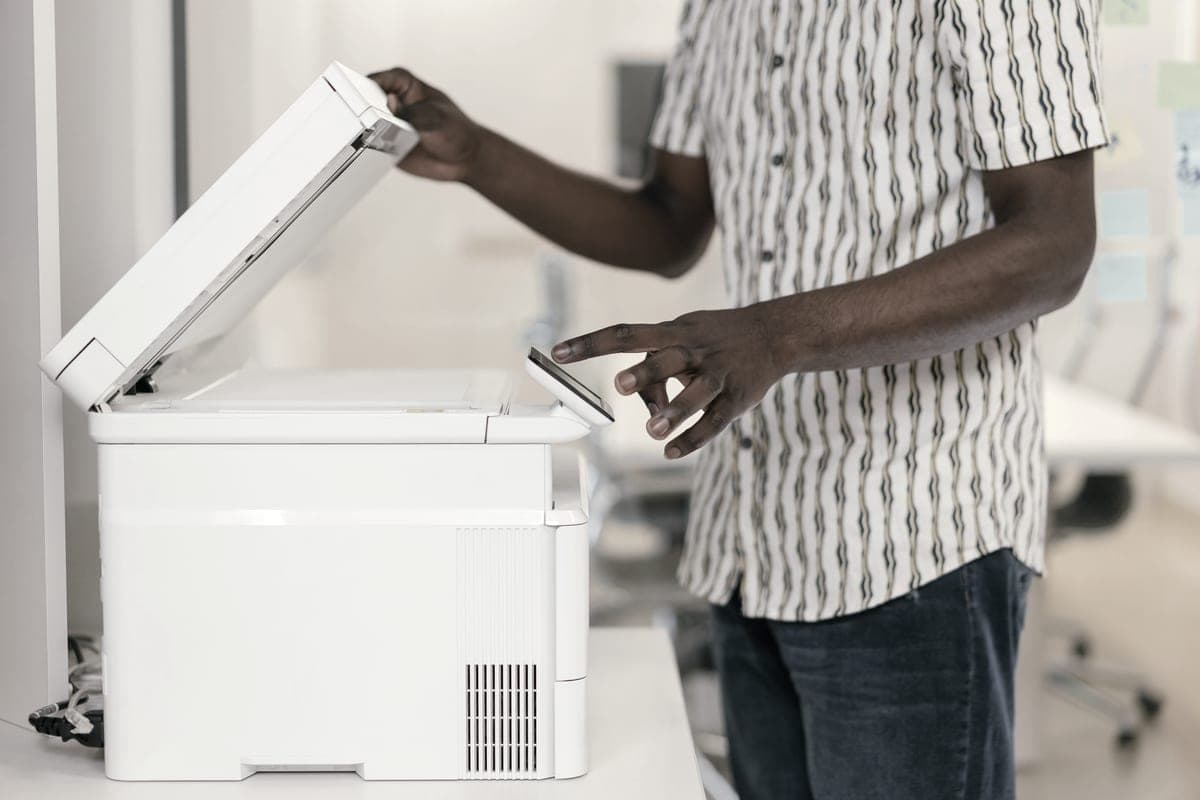
A person operating a multifunction printer and copier in an office

By Use Case

Best printer scanner copier for a home office

Daily print, scan and copy duty is a hardware question and a running-cost question at the same time. These four all-in-ones answer both without a supplies plan.

By Ryder M. · Published October 11, 2026

Quick picks

Our ranked picks for best printer scanner copier for a home office, with the cost per page beside each one. Tap a row to jump to the full write-up.

Our ranked picks for best printer scanner copier for a home office, with the cost per page beside each one. Tap a row to jump to the full write-up.
#ProductBest forCost per pagePrice
1
An office worker copying documents at a multifunction printer
Brother MFC-L2820DW$279.99, 50-page feeder, 34 ppm, about 3.3¢ a page
Best for daily print, scan and copy~3.3¢
2
An office worker copying documents at a multifunction printer
Brother DCP-L2640DW$209.99 for the same feeder, scanner and toner, minus the fax
Best value if you never fax~3.3¢
3
A neat home office desk with a monitor and a window behind it
Epson EcoTank ET-4950Feeder, auto duplex, Ethernet and about 1.2¢ a color page
Best color all-in-one~0.3¢
4
A neat home office desk with a monitor and a window behind it
Epson EcoTank ET-4800Same 522 ink as the entry EcoTanks, with an ADF and Ethernet
Cheapest way to a color feeder~0.4¢

#ad — buy links are affiliate links and we may earn a commission at no cost to you. How this site is funded. We do not display live prices, so every button sends you to Amazon’s own page for the current one. Cost-per-page figures are arithmetic on supply prices we read on 27 September 2026 — here is the method.

If a home office has to print, scan and copy every working day, the Brother MFC-L2820DW is the machine to buy: a 50-page document feeder, automatic two-sided printing at 34 pages a minute, Ethernet, and toner at about 3.3 cents a page that cannot dry out between jobs. Need color as well as paperwork and the answer changes to an Epson EcoTank ET-4950, which costs more to buy and far less per color page than any laser.

How we picked

Three things were non-negotiable for a daily workload. An automatic document feeder, because copying a six-page contract on a flatbed is six separate actions. A cost per page we could compute from a genuine supply price and a manufacturer-rated yield, because daily use is where running cost stops being theoretical. And no subscription requirement of any kind.

After that we ranked on what the hardware does when nobody is watching it: automatic duplexing, tray capacity, and whether the machine has a wired port so a shared printer stops disappearing from the network. Speed came last. A 34-page-a-minute laser and an 18-page-a-minute tank printer feel identical on a two-page letter.

What daily duty actually demands

  • A feeder, not just a scanner. Every machine here has a flatbed. The difference is the stack: a 50-page automatic document feeder turns a multi-page scan or copy into one button press. Tank printers with a feeder.
  • A supply that survives your schedule. Toner is a dry powder and does not care if you print nothing for a fortnight. Ink does care, which is a real consideration for a home office that goes quiet for a month at a time.
  • Two-sided printing. Paper is roughly a cent a sheet, which sounds trivial until you notice it is several times the ink cost of a page on a tank printer. A duplexer halves it.
  • A wired port. Three of the four picks publish Ethernet. On a printer several people share, that single feature removes the most common complaint about printers. Why a cable beats Wi-Fi.
The all-in-ones we cover, side by side
MachineList priceFeederAuto duplexPer mono page
Brother MFC-L2820DW$279.9950-page ADFYes~3.3¢
Brother DCP-L2640DW$209.9950-page ADFYes~3.3¢
Epson EcoTank ET-4950$499.99ADFYes~0.3¢
Epson EcoTank ET-4800Not publishedADFNot stated~0.4¢
Epson EcoTank ET-3850Not publishedADFYes~0.3¢

Hardware as published on each manufacturer own specification page; list prices as read on the dates recorded in our registry. Cost per page is our arithmetic - supply price divided by the manufacturer rated ISO yield.

Read that table twice and the real decision appears. The feeder is available on every one of them, so it is not the deciding feature. The cost per mono page differs by a factor of about ten between the Brothers and the Epsons, and the Epsons are the only ones that print color at all.

Mono laser or color tank?

A home office that produces contracts, invoices, letters and shipping paperwork prints black text, and a mono laser does that faster, cheaper to buy, and with a supply that keeps. A home office that produces anything a client looks at — proposals, marketing sheets, photographs — needs color, and on a tank printer color costs a few cents rather than the tens of cents a color laser charges. The full comparison.

The feeder is the part people get wrong

Brother states plainly that the ADF on the MFC-L2820DW scans one side only. Almost every feeder at this price does. It means a double-sided twelve-page original is still a manual job: feed the stack, turn it over, feed it again, and have the software interleave the pages. A duplex-scanning feeder exists further up every range and costs considerably more.

The 50-page capacity is the other number worth knowing. A feeder rated at 50 sheets is sized for a contract, not for a filing cabinet — if your actual job is digitising years of paper, a dedicated document scanner will do it faster than any printer feeder, and the printer you buy should be chosen on printing instead.

What a daily workload costs to run

Daily use for a home office is commonly a few hundred pages a month once invoices, letters, school paperwork and the occasional contract are added up. At 300 mono pages a month over three years, the supply spend alone looks like this.

Three years of supplies at 300 mono pages a month
MachineSupplyPer pageThree-year supplies
Brother MFC-L2820DWBrother TN830XL high-yield toner cartridge~3.3¢$354
Brother DCP-L2640DWBrother TN830XL high-yield toner cartridge~3.3¢$354
Epson EcoTank ET-4950Epson 502 black ink bottle~0.3¢$36
Epson EcoTank ET-4800Epson 522 black ink bottle~0.4¢$43

Our arithmetic on genuine supply prices read on the dates in our registry and manufacturer-rated ISO yields, before paper. Mono pages only - color changes the Epson figures and the Brothers do not print color at all.

The ET-4950 costs $220 more than the MFC-L2820DW to buy and gives most of that back in supplies over three years at that volume — which is the whole argument for a tank printer in an office that prints every day. Below about fifty pages a month the argument evaporates and you should buy the cheapest machine with a feeder. Put your own volume in.

Specifications and running costs side by side, for the printers discussed on this page.
PrinterSupply typeMono per pageColor per pageAuto duplexFeederList price
Brother MFC-L2820DWToner~3.3¢mono onlyYesYes$280
Brother DCP-L2640DWToner~3.3¢mono onlyYesYes$210
Epson EcoTank ET-4950Ink bottles~0.3¢~1.2¢YesYes$500
Epson EcoTank ET-4800Ink bottles~0.4¢~1.1¢Not statedYesnot published

Cost-per-page figures are our own arithmetic: supply price divided by the manufacturer’s rated page yield, using prices read on 27 September 2026 and yields rated at the ISO 5% coverage standard. They are not measured by us and they are not current prices. Every input, and the working · run the numbers for your own printing

The picks in detail

Best for daily print, scan and copy

Brother MFC-L2820DW

The small-office version of Brother's household mono laser: same cheap TN830 toner, but with a fifty-page feeder, fax and a scanner bolted on.

An office worker copying documents at a multifunction printer

Illustrative photograph of this kind of printer. We do not have this model in hand and this is not a photograph of the unit.

Check price on Amazon

#ad — we may earn a commission. How this site is funded. We do not show live prices; Amazon’s page is the price of record.

~3.3¢ per mono page

Based on a Brother TN830XL high-yield toner cartridge rated at 3,000 pages at $98.29, priced on 27 September 2026.

  • Brother TN830XL high-yield toner cartridge — rated 3,000 pages (ISO/IEC 19752), $98.29 at Brother USA, checked 27 September 2026

Yields are manufacturer-rated at the ISO 5% page-coverage standard, not measured by us, and real-world cost runs higher. Prices are not live: this is arithmetic on a price we read on the date shown, not a current price. How we calculate cost per page.

List price
$279.99 at Brother USA, checked 29 September 2026
Supply type
Toner cartridge
Print speed
Up to 34 pages per minute
Two-sided printing
Automatic
Document feeder
50-page automatic document feeder
Connectivity
Ethernet, dual-band wireless (2.4 GHz / 5 GHz) and Hi-Speed USB 2.0
Subscription
None required

What we like

  • Fifty-page document feeder and auto duplex at 34 pages a minute
  • Runs the same TN830XL toner as Brother's cheaper models, so no cost-per-page penalty for the extra hardware
  • Ethernet as well as dual-band Wi-Fi, which matters when several people share it

What you give up

  • Mono only - no color at all
  • Seventy dollars more than the DCP-L2640DW, and the difference is mostly the fax
  • The ADF scans one side only, so double-sided originals still need flipping

Brother publishes everything a daily workload asks for on this one machine: a flatbed scanner with a 50-page automatic document feeder, automatic two-sided printing at up to 34 pages a minute, a 250-sheet tray with a single-sheet manual feed slot, and Ethernet alongside dual-band Wi-Fi. It lists at $279.99.

It is a laser, which is the part that matters for daily duty in a home office: toner does not dry out when you take a week off, and the TN830XL cartridge is rated at 3,000 pages at about 3.3 cents each. Mono only — if you need color, the two Epsons below are the answer instead.

Specifications read from the manufacturer’s own product page on 29 September 2026.

Best value if you never fax

Brother DCP-L2640DW

The HL-L2460DW with a scanner and a 50-page feeder on top. For most home offices that need to scan, this is the sensible mono laser.

An office worker copying documents at a multifunction printer

Illustrative photograph of this kind of printer. We do not have this model in hand and this is not a photograph of the unit.

Check price on Amazon

#ad — we may earn a commission. How this site is funded. We do not show live prices; Amazon’s page is the price of record.

~3.3¢ per mono page

Based on a Brother TN830XL high-yield toner cartridge rated at 3,000 pages at $98.29, priced on 27 September 2026.

  • Brother TN830XL high-yield toner cartridge — rated 3,000 pages (ISO/IEC 19752), $98.29 at Brother USA, checked 27 September 2026

Yields are manufacturer-rated at the ISO 5% page-coverage standard, not measured by us, and real-world cost runs higher. Prices are not live: this is arithmetic on a price we read on the date shown, not a current price. How we calculate cost per page.

List price
$209.99 at Brother USA, checked 27 September 2026
Supply type
Toner cartridge
Print speed
Up to 36 pages per minute
Two-sided printing
Automatic
Document feeder
50-page automatic document feeder
Connectivity
Ethernet and dual-band wireless
Subscription
None required

What we like

  • 50-page document feeder, so scanning a stack is one action
  • Auto duplex printing at 36 pages per minute
  • Same TN830 toner family as the HL-L2460DW, with the same cost per page

What you give up

  • Mono only
  • Thirty dollars more than the print-only model for hardware you may not need
  • Toner is far dearer per page than bottle ink

Seventy dollars cheaper than the MFC-L2820DW and, for most home offices, identical where it counts: the same 50-page document feeder, the same automatic duplex printing, the same Ethernet and dual-band wireless, 36 pages a minute, and the same TN830 toner family at about 3.3 cents a page.

What you give up is the fax modem and a little mobile polish. If nobody has asked you for a fax number this decade, this is the pick and the seventy dollars stays in your pocket.

Specifications read from the manufacturer’s own product page on 27 September 2026. Full cost-to-run breakdown for the Brother DCP-L2640DW →

Best color all-in-one

Epson EcoTank ET-4950

The current EcoTank that has everything a small office asks for - feeder, auto duplex, Ethernet and AirPrint - on the cheaper 502 ink. The price is the argument against it.

A neat home office desk with a monitor and a window behind it

Illustrative photograph of this kind of printer. We do not have this model in hand and this is not a photograph of the unit.

Check price on Amazon

#ad — we may earn a commission. How this site is funded. We do not show live prices; Amazon’s page is the price of record.

~0.3¢ per mono page · ~1.2¢ per color page

Based on a Epson 502 black ink bottle rated at 7,500 pages at $24.99, priced on 27 September 2026.

The color figure adds one per-page cost for each of the three color channels, because an ISO color page draws from all of them.

  • Epson 502 black ink bottle — rated 7,500 pages (ISO/IEC 24712), $24.99 at Epson US, checked 27 September 2026
  • Epson 502 color ink bottle — rated 6,000 pages (ISO/IEC 24712), $16.99 at Epson US, checked 27 September 2026

Yields are manufacturer-rated at the ISO 5% page-coverage standard, not measured by us, and real-world cost runs higher. Prices are not live: this is arithmetic on a price we read on the date shown, not a current price. How we calculate cost per page.

List price
$499.99 at Epson US, checked 29 September 2026
Supply type
Refillable ink bottles
Print speed
18 ISO pages per minute black, 9 ISO pages per minute color
Two-sided printing
Automatic
Document feeder
Automatic document feeder
Connectivity
Wireless and Ethernet
Subscription
None required

What we like

  • Auto duplex and a document feeder together, which the cheap EcoTanks do not offer
  • 502 ink, the lowest cost per page of any Epson bottle family we have priced
  • AirPrint is named on Epson's own product page, so Macs and iPhones need no driver

What you give up

  • $499.99 at list - more than twice the cheapest EcoTank that prints the same pages for the same money per page
  • Still an inkjet, so it wants occasional use or the head can clog
  • 18 pages a minute is slow next to any mono laser

The EcoTank that behaves like office equipment. Epson publishes a flatbed scanner with an automatic document feeder, automatic two-sided printing, a 250-sheet tray, fax, Ethernet, AirPrint and Mopria, and 18 ISO pages a minute in black against 9 in color. It lists at $499.99.

The reason to spend it is color at tank-printer prices: about 0.3 of a cent a mono page and roughly 1.2 cents an ISO color page on 502 bottles, against the color laser alternative at several times that. It is an inkjet, so it wants using — what happens when a tank printer sits idle.

Specifications read from the manufacturer’s own product page on 29 September 2026.

Cheapest way to a color feeder

Epson EcoTank ET-4800

The ET-2800's running cost with the office hardware bolted on: a document feeder, wired Ethernet and fax. Worth it only if you actually need one of those three.

A neat home office desk with a monitor and a window behind it

Illustrative photograph of this kind of printer. We do not have this model in hand and this is not a photograph of the unit.

Check price on Amazon

#ad — we may earn a commission. How this site is funded. We do not show live prices; Amazon’s page is the price of record.

~0.4¢ per mono page · ~1.1¢ per color page

Based on a Epson 522 black ink bottle rated at 4,500 pages at $17.99, priced on 27 September 2026.

The color figure adds one per-page cost for each of the three color channels, because an ISO color page draws from all of them.

  • Epson 522 black ink bottle — rated 4,500 pages (ISO/IEC 24712), $17.99 at Epson US, checked 27 September 2026
  • Epson 522 color ink bottle — rated 7,500 pages (ISO/IEC 24712), $17.99 at Epson US, checked 27 September 2026

Yields are manufacturer-rated at the ISO 5% page-coverage standard, not measured by us, and real-world cost runs higher. Prices are not live: this is arithmetic on a price we read on the date shown, not a current price. How we calculate cost per page.

List price
Not published where we checked on 27 September 2026
Supply type
Refillable ink bottles
Two-sided printing
Not stated on the spec page we read
Document feeder
Automatic document feeder
Connectivity
Wireless and Ethernet
Subscription
None required

What we like

  • Same 522 ink and therefore the same cost per page as the cheaper EcoTanks
  • Automatic document feeder for multi-page scanning and copying
  • Wired Ethernet, which is more reliable than Wi-Fi for a shared printer

What you give up

  • Epson did not publish a list price on its product page when we checked
  • You pay for the feeder and the fax whether or not you use them
  • Still an inkjet, so it wants occasional use

The ET-4800 is the cheap route to the two features a daily workload actually needs on the color side: an automatic document feeder and a wired port. Epson publishes both, plus fax, on 522 refillable tanks at about 0.4 of a cent a mono page and 1.1 cents an ISO color page.

Epson did not publish a list price on the product page we read, and Epson does not state automatic duplexing for this model — so long documents come out one-sided unless you feed them twice. That is the compromise for the lower price.

Specifications read from the manufacturer’s own product page on 27 September 2026. Full cost-to-run breakdown for the Epson EcoTank ET-4800 →

Questions people actually ask

Which printer is best for a home office that needs to print, scan and copy daily?

The Brother MFC-L2820DW at $279.99: a 50-page document feeder, automatic two-sided printing at 34 pages a minute, Ethernet, and toner at about 3.3 cents a page that cannot dry out. If the work needs color, the Epson EcoTank ET-4950 instead.

Do I need an automatic document feeder?

If you copy or scan anything longer than one page regularly, yes. A feeder turns a six-page copy into one action. Note that feeders at this price scan one side only, so double-sided originals still need turning over.

Is a laser or an ink tank all-in-one better for a home office?

Laser for black text, a supply that keeps and a lower purchase price. Ink tank if you need color, where it costs a few cents a page against tens of cents on a color laser. The split falls at roughly one color page in ten.

Can I get a printer, scanner and copier without a subscription?

Yes. Every machine on this page prints, scans and copies with supplies bought outright and no plan of any kind. Brother and Epson both sell optional subscriptions; none of these printers needs one to work.

Does a printer scanner copier need the internet?

No. All four connect over your own network or by USB and print, scan and copy with no internet access at all. Cloud features are optional on each.

What about faxing?

The MFC-L2820DW, the ET-4950 and the ET-4800 publish fax; the DCP-L2640DW does not. Fax is the single feature that separates the Brother MFC models from the DCP models, and it is worth about seventy dollars only if you actually need it.

Sources